

How to Build an App and Make Money: A Step-by-Step Guide

You have an app idea. Maybe it's been sitting in your notes app for months. Maybe it just hit you at 2 AM. Either way, the question isn't just how to build it — it's how to build an app and make money from it.
The good news? You don't need a CS degree or a team of developers. With AI-powered no-code tools, solo creators are launching apps and generating real revenue — sometimes within days.
Summary
- You don't need to code — AI builds the app, you describe what you want
- The fastest path: idea → no-code builder → Stripe → launch in 1–3 days
- Subscription beats one-time sales for solo builders: predictable income, lower churn risk
- The #1 mistake: building too much before anyone pays you. Validate first.
- Free tier gets users in; a clear upgrade path turns them into revenue
What Makes an App Actually Make Money
Before you build a single screen, understand what separates apps that generate revenue from apps that collect digital dust.
Apps that make money solve a specific problem for a specific group of people. Not "productivity for everyone" — something like "expense tracking for freelance photographers." The narrower your target, the clearer your value proposition, and the easier it is to charge for it.
Three models dominate:
- Freemium: Free to use, charge for premium features. Works when your core value is immediately obvious.
- Subscription: Monthly or annual fee. Best for tools people use regularly.
- One-time purchase: Users pay once. Simpler, but you need volume.
Pick your model before you start building. It changes what you build.
What You Will Need
Getting started costs less than you think:
- A clear app idea and a target user in mind
- An account on an AI app builder — free to start
- About 2–5 hours for your first version
- A payment processor (Stripe is the standard choice for most indie developers)
That's it. No IDE, no GitHub, no AWS console.
Step-by-Step: How to Build an App and Make Money
Step 1: Nail Your Idea (and the Money Behind It)
Write down your app idea in one sentence: I'm building [X] for [Y] so they can [Z] instead of [painful thing they do now].
Then ask: would someone pay $5, $10, or $20/month for this? If you can't answer yes confidently, either the problem isn't painful enough or you haven't found the right niche yet.
Real example: "A habit tracker for indie hackers who want to ship weekly" — that's specific, and people would pay for it.
Step 2: Choose Your Build Tool
Your biggest leverage point is the tool you pick. Traditional app development takes months. No-code app builders powered by AI can get a working prototype live in a few hours.
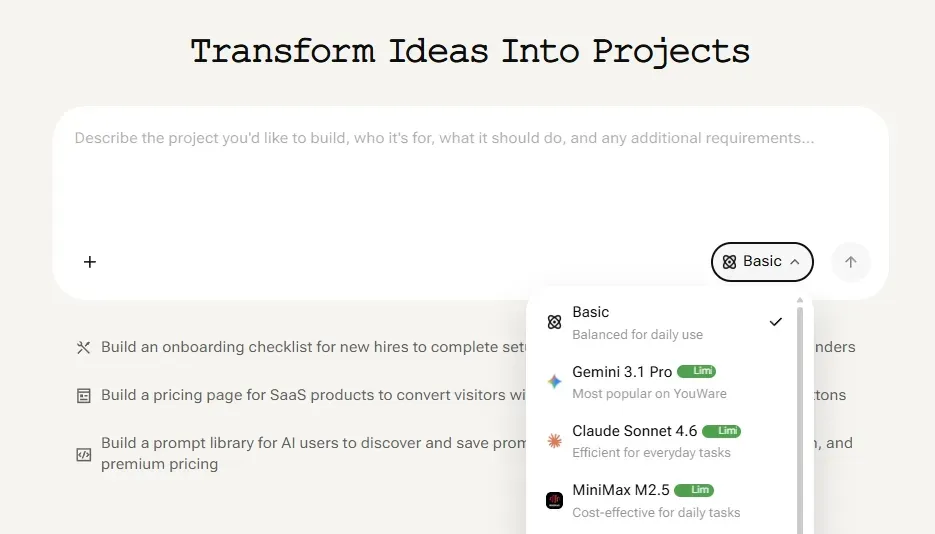
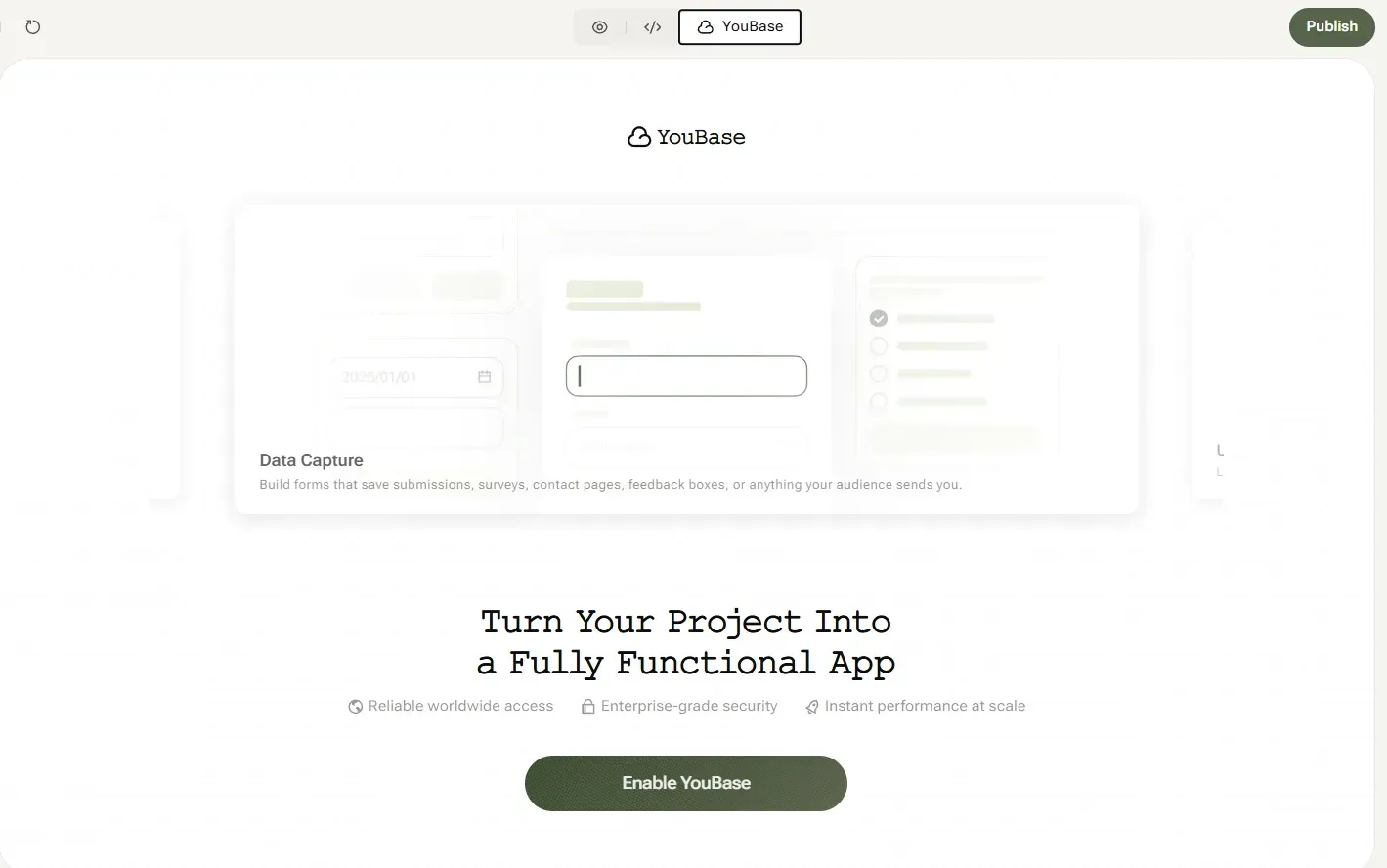
YouWare is built specifically for this. Describe your app in plain English, and AI generates the code — HTML, CSS, JavaScript, with a real backend. You don't write a single line. You can add a database, user authentication, and storage with YouBase, YouWare's built-in backend that comes with every Pro and Ultra plan.
Step 3: Build Your First Version
Start minimal. One core feature. One problem solved.
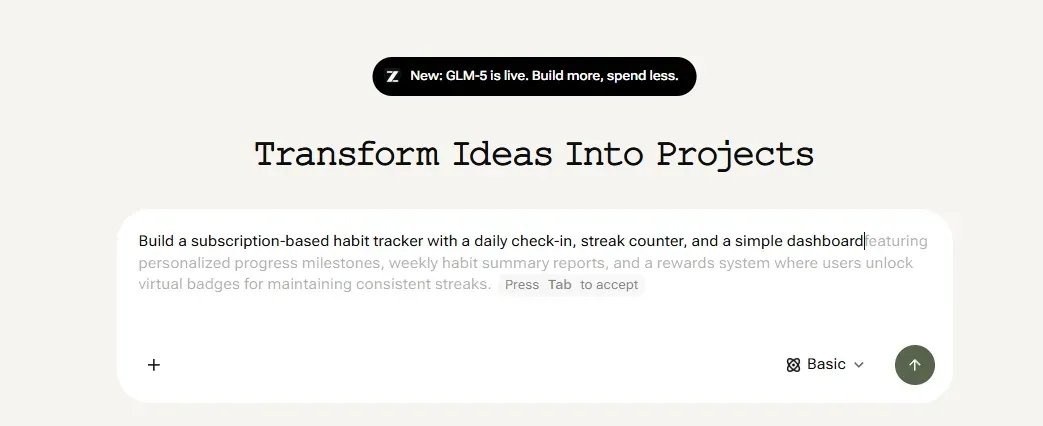
Here's how the process works on YouWare:
- Sign in and click Create New
- Describe your app in the prompt: "Build a subscription-based habit tracker with a daily check-in, streak counter, and a simple dashboard"
- Review the generated preview
- Tweak with follow-up prompts or use Visual Editing for design changes — visual edits cost zero credits
- Add data storage and user auth with YouBase if your app needs persistent data or accounts
Your first version doesn't need to be perfect. It needs to be real enough that someone could use it.
Step 4: Set Up Monetization Before Launch
Don't launch and then think about payment. Add it in.
If you're building on YouWare:
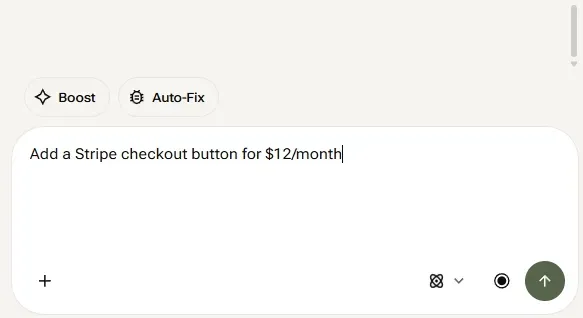
- Add a Stripe integration through the AI prompt: "Add a Stripe checkout button for $12/month"
- Use YouBase's Secrets feature to store your API keys securely
- For subscription gating, describe the logic: "Only logged-in paid users can access the dashboard"
This is one area where developers consistently underestimate complexity — but with AI prompting, it's handled in minutes, not days.
Step 5: Publish Your App
When your app is ready, hit Publish. YouWare generates a shareable link instantly — no deployment setup, no server management.
For a more professional look:
- Add a custom domain (Pro plan and above)
- Remove the YouWare badge so it looks like your own product
- Set visibility to Public so users can discover it
Step 6: Get Your First Users (and First Revenue)
Build in public. Share your app on Twitter/X, Reddit, and niche communities related to your target user. Offer a free trial or a discounted early-adopter rate.
Your first 10 paying users tell you more than any market research. They'll tell you what's missing, what's confusing, and — if you're lucky — what they love.
Start building your app
Try for FreeMonetization Models: Which One Fits Your App
Different apps need different revenue models. Here's a quick guide:
| App Type | Best Model | Why |
|---|---|---|
| Productivity tool | Subscription | Daily use = recurring value |
| Games or toys | One-time | Low friction, impulse buys |
| Business tool | Freemium + seats | Companies pay more, grow with you |
| Portfolio / showcase | Free + custom domain upsell | Drives upgrade naturally |
| Marketplace | % of transaction | Scales with volume |
If you're unsure, start with a freemium model. Let users experience real value for free, then charge for features that save serious time or money.

Tips for Maximizing Revenue
- Charge earlier than you think you should. Most indie builders wait too long. If someone's using your app regularly, they'll pay.
- Price higher than your gut says. $10/month sounds scary, but $2/month rarely covers your costs and signals low value.
- Talk to users every week. App revenue follows user satisfaction. Build what they actually need.
- Use version history. YouWare saves every version automatically — so you can experiment without fear of breaking your live app. Credit Care lets you rewind and recover credits if an AI result misses the mark.
Common Mistakes to Avoid
Building too much before validating. Spend time on the idea phase, not two months on features nobody wants.
Ignoring mobile. Over 60% of global web traffic now comes from mobile devices. Test on your phone before you launch.
No clear upgrade path. If users can't tell why they'd pay, they won't. Make the value of paid features obvious.
Skipping the landing page. Even a one-page explanation of what your app does and who it's for converts visitors into users. The make an app guide on the YouWare blog has more detail on structuring your first launch.
FAQ
Do I Need Coding Experience to Build an App That Makes Money?
No. AI-powered builders like YouWare let you describe your app in plain English and generate working code. The monetization setup — payment processors, subscription gating, user auth — can also be handled through AI prompts. If you can explain your idea in a sentence, you can build it.
How Long Does It Take to Launch My First App?
A basic version can be live in a few hours. A polished, monetized app with user accounts and Stripe integration typically takes 1–3 days of focused building. The bottleneck isn't development time — it's deciding what to build.
What Apps Make the Most Money for Solo Builders?
Niche productivity tools, small business utilities, and specialized trackers tend to do well because the target audience is clear and willing to pay. Games can spike with viral moments but are harder to sustain. The most reliable path is solving a specific, recurring problem for a defined group.
Can I Monetize Without a Stripe Account?
Stripe is the most common choice for indie developers, but PayPal, Lemon Squeezy, and Paddle are solid alternatives — especially if you're selling outside the US or want to handle EU VAT automatically. YouWare supports integration with any payment processor through AI-assisted setup.
How Much Does It Cost to Get Started?
YouWare has a free tier to build and experiment. The Pro plan is $20/month and includes YouBase backend, custom domain, and code download — everything you need to run a real, monetized app. Your main ongoing cost is the payment processor fee (typically 2.9% + $0.30 per transaction with Stripe).
Conclusion
Building an app and making money from it has never been more accessible. You don't need a team, a budget, or six months. You need a clear problem, the right tool, and the willingness to put it in front of real users.
Start small. Charge early. Iterate based on what you learn.
Build your app today
Get Started

![How to Build a Resume Website in Minutes with AI [2026 Guide]](https://forge-asset.youware.com/1_e182e75720.png)

