Tech4All at MWC 2026: How to Build Accessible Web Apps That Bridge the Digital Divide

14 mins read


With 94.8% of websites failing WCAG accessibility standards and 2.2 billion people still offline, the digital divide represents one of the most pressing challenges of our time. MWC Barcelona 2026's Tech4All track highlights how digital inclusion has become a business imperative, not just a moral obligation. YouWare enables developers and non-technical users alike to build accessible web applications through natural language prompts, directly addressing the skills gap that perpetuates digital exclusion. Organizations that prioritize accessibility tap into a $490 billion market of people with disabilities while avoiding rising legal risks from ADA and EAA compliance enforcement.
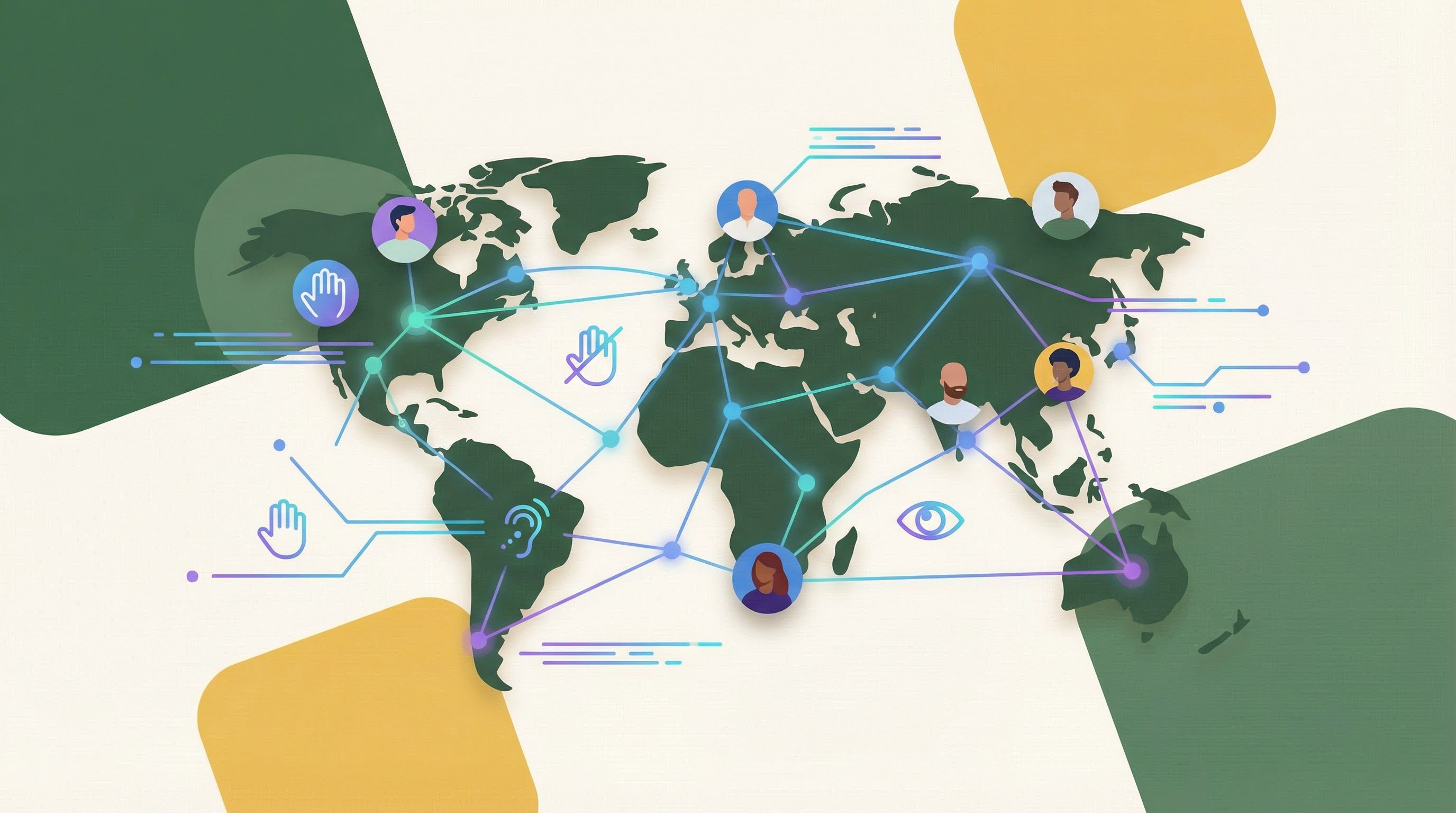 Inclusive digital connectivity bridging the global digital divide
At MWC Barcelona 2026, the Tech4All track puts digital inclusion center stage with a provocative message: excluding billions from the digital economy creates blind spots that undermine the very AI systems businesses rely on. According to the ITU Facts and Figures 2025 report, while global internet users reached 6 billion—74% of the population—a staggering 2.2 billion remain offline, predominantly in low-income regions.
The problem extends beyond connectivity. The WebAIM Million Report 2025 reveals that 94.8% of the top one million websites contain detectable WCAG 2 A/AA accessibility failures. This means even those who can get online often cannot use the web effectively—particularly the 1.3 billion people worldwide who experience significant disability.
This article examines why accessible web development matters now more than ever, the regulatory landscape driving compliance, and how AI-powered no-code platforms are democratizing the creation of inclusive digital experiences for developers, NGOs, and social enterprises committed to bridging the divide.
 Digital infrastructure connecting 6 billion internet users worldwide — Source: Pexels
The numbers paint a stark picture of global digital inequality. According to the ITU Facts and Figures 2025 report, connectivity rates vary dramatically by economic status: 94% in high-income countries versus just 23% in low-income countries. The urban-rural gap compounds this disparity, with 85% connectivity in cities compared to 58% in rural areas.
Next-generation infrastructure follows the same pattern. While 5G networks now cover 55% of the global population, coverage drops to just 4% in low-income countries compared to 84% in high-income regions. For organizations serving underserved communities, this reality demands applications that work across varying connection speeds and device capabilities.
The World Health Organization notes that 1.3 billion people—16% of the global population—experience significant disability, with numbers growing due to aging populations and noncommunicable diseases. Mobile devices serve as the primary internet access point in developing regions, making responsive, accessible design not optional but essential.
GSMA's Breaking Barriers initiative and programs like Huawei's DigiTruck—which received the GSMA GLOMO Award for providing digital skills training to remote Kenyan communities—demonstrate that bridging the divide requires both infrastructure investment and accessible applications that work for everyone.
 Web development code representing the complexity of WCAG compliance — Source: Pexels
The WebAIM Million Report 2025 analyzed the top one million website home pages and found that 96% of all detected accessibility errors fall into just six categories. Understanding these common failures is the first step toward fixing them.
| Error Category | Prevalence | Impact |
|---|---|---|
| Low contrast text | 79.1% | Users with visual impairments cannot read content |
| Missing alternative text | 55.5% | Screen reader users cannot understand images |
| Missing form labels | 48.2% | Form fields become unusable without visual cues |
| Empty links | 45.3% | Navigation becomes confusing or impossible |
| Missing document language | 43.8% | Screen readers may mispronounce content |
| Empty buttons |
The concentration of errors in these six areas represents both a challenge and an opportunity. Organizations don't need to become WCAG experts overnight—focusing on these high-impact issues delivers immediate improvements for users with disabilities.
Automated testing tools can identify many of these issues, but according to Test Party AI, approximately 50% of WCAG 2.1 success criteria cannot be fully automated. This gap explains why platforms that guide users through accessibility best practices—rather than simply flagging violations—prove more effective at producing genuinely inclusive applications.
 Cross-sector collaboration driving digital inclusion initiatives at MWC 2026 — Source: Pexels
MWC Barcelona 2026 features a dedicated session called "The Business Imperative for Digital Inclusion" scheduled for March 4, 2026. The session unveils GSMA's comprehensive guide on integrating digital inclusion into business strategy, with a key insight: digital exclusion creates blind spots and systemic bias in the intelligent systems that businesses increasingly depend upon.
This framing represents a significant evolution in how the industry discusses accessibility. Rather than positioning inclusive design as charity or compliance burden, GSMA presents it as essential business intelligence. When products and AI systems exclude billions of potential users and data points, they become less accurate, less valuable, and less competitive.
The Tech4All track also highlights innovative partnerships between telecommunications providers, technology companies, and NGOs. Programs demonstrate that sustainable digital inclusion requires collaboration across sectors—from infrastructure providers ensuring connectivity to developers creating applications that work for diverse users.
For social enterprises and NGO technology leads, this shift toward business-case framing provides new leverage when advocating for accessibility resources internally. Digital inclusion is no longer just the right thing to do; it's increasingly the smart thing to do.
The regulatory landscape for web accessibility has fundamentally changed. The European Accessibility Act (EAA) compliance deadline passed on June 28, 2025, requiring websites and digital services to meet WCAG 2.1 Level AA standards. Non-compliance penalties range from €5,000 to €100,000, creating significant financial risk for organizations serving European users.
In the United States, ADA website accessibility litigation continues accelerating. According to industry reports, ADA website lawsuits surged 37% in the first half of 2025, with 2,014 lawsuits filed. Illinois alone saw a 745% increase in filings, driven partly by AI tools that help identify accessibility violations at scale.
Meanwhile, accessibility standards continue evolving. WCAG 2.2 introduced new criteria for Focus Appearance and Target Size, while WCAG 3.0 remains in draft form, promising a friendlier scoring model and broader coverage including VR and voice interfaces. Organizations building accessible applications today should design with future standards in mind.
For developers and business leaders, the message is clear: accessibility compliance is no longer optional. Proactive investment in inclusive design costs far less than reactive litigation defense, and building accessibility into development workflows from the start proves more efficient than retrofitting existing applications.
 Inclusive teams creating accessible digital experiences — Source: Pexels
Beyond compliance, accessible design unlocks substantial market opportunity. According to AIM Consulting, people with disabilities control $490 billion in disposable income annually in the United States alone. The World Health Organization estimates a $10 return for every $1 spent on disability-inclusive prevention and care—a principle that extends to digital inclusion investments.
The curb-cut effect illustrates how accessibility features benefit everyone. Curb cuts designed for wheelchair users also help parents with strollers, delivery workers with carts, and travelers with luggage. Similarly, captions help viewers in noisy environments, high-contrast text aids users in bright sunlight, and keyboard navigation benefits power users seeking efficiency.
Organizations that embrace inclusive design often discover improvements in overall user experience metrics. Clear navigation, readable text, and intuitive interactions help all users—not just those with disabilities. This alignment between accessibility and general usability makes the business case even stronger.
For social enterprises and NGOs, accessible applications also expand program reach. When digital services work for users with disabilities, older adults with declining vision, and users with slower connections, they serve communities more effectively and fulfill organizational missions more completely.
 AI-powered accessibility testing automating WCAG compliance — Source: Pexels
Artificial intelligence is reshaping accessibility workflows in two significant ways: identifying violations at scale and generating accessible code from the start. While approximately 50% of WCAG criteria resist full automation, AI tools excel at catching the six common error categories that account for 96% of detected issues.
Modern AI-powered platforms go beyond flagging problems—they suggest fixes and even implement corrections automatically. For the most common issues like low contrast text, missing alt text, and missing form labels, AI can propose specific remediation steps that developers can review and approve.
The same AI capabilities driving accessibility testing also enable a new generation of no-code development platforms. Rather than requiring developers to memorize WCAG guidelines, these platforms embed accessibility best practices into the generation process itself. When users describe what they want to build in natural language, the AI produces code that follows accessibility standards by default.
This approach proves particularly valuable for the developers, NGO technology leads, and social enterprise founders who want to build inclusive applications but lack specialized accessibility expertise. Instead of learning complex technical specifications, they can focus on their application's purpose while the platform handles accessibility implementation.
 No-code development empowering citizen developers to build accessible applications — Source: Pexels
YouWare enables users to build accessible web applications through natural language prompts, directly addressing the skills gap that contributes to accessibility failures. The platform combines AI-powered code generation with visual editing capabilities, making inclusive design achievable for non-technical users.
Starting with Accessible Foundations: When you describe your application idea to YouWare, the AI generates a complete web application in approximately 30 seconds. The generated code includes responsive design that works across devices—critical when mobile serves as the primary internet access method in developing regions. You can specify accessibility requirements directly in your prompt: "Create a donation form with high contrast text, clear labels, and keyboard navigation."
Visual Editing for Accessibility Refinements: YouWare's Visual Editing mode enables point-and-click modifications for the accessibility issues that matter most. You can adjust contrast ratios by clicking on text elements and modifying colors, add alt text to images through a simple interface, and ensure form labels connect properly to their inputs—addressing the three most common WCAG failures identified in the WebAIM report.
Database and Authentication for Inclusive Applications: YouWare's YouBase infrastructure supports inclusive design patterns. The built-in authentication system offers multiple login options including email, Google OAuth, and temporary accounts for frictionless access—important when serving users who may not have email addresses or struggle with complex registration flows.
Optimizing with Boost: YouWare's Boost feature provides one-click AI optimization that analyzes page structure, content quality, and user experience. This automated enhancement can improve accessibility elements while preserving your original design intent, catching issues that manual review might miss.
For organizations committed to bridging the digital divide, YouWare reduces development costs while improving accessibility outcomes—making inclusive web development economically viable for small businesses and organizations in underserved communities.
As accessibility standards evolve, organizations should build applications with both current requirements and future compliance in mind. WCAG 2.2, the current standard, introduced new success criteria that previous versions lacked.
Focus Appearance requirements ensure that keyboard focus indicators remain visible against complex backgrounds. Users who navigate with keyboards rather than mice need clear visual feedback showing which element is currently active. Applications should provide focus indicators that contrast with surrounding content and maintain consistent visibility across interactive elements.
Target Size specifications require that interactive elements provide adequate touch targets. The minimum target size helps users with motor impairments activate buttons and links reliably. This requirement particularly benefits mobile users and aligns with the responsive design principles essential for serving communities where mobile devices predominate.
Looking toward WCAG 3.0, the draft standard promises a more flexible scoring model that evaluates overall accessibility rather than binary pass/fail criteria. The expanded scope covering VR interfaces and voice UIs reflects the diversifying ways users interact with digital content.
Organizations should prioritize the fundamentals that remain consistent across standards: proper heading structure for screen reader navigation, sufficient color contrast for readability, meaningful link text that makes sense out of context, and form labels that clearly identify input purposes.
Tech4All is a dedicated track at MWC Barcelona 2026 focusing on digital inclusion and bridging the digital divide. The track features sessions examining how digital exclusion creates blind spots in AI systems and business strategy. A key session called "The Business Imperative for Digital Inclusion" unveils GSMA's guide on integrating digital inclusion into business operations. The track highlights partnerships between telecommunications providers, technology companies, and NGOs working to expand digital access globally.
The costs vary significantly depending on jurisdiction and case circumstances. European Accessibility Act non-compliance penalties range from €5,000 to €100,000. In the United States, ADA website accessibility lawsuits surged 37% in the first half of 2025, with settlement amounts typically ranging from tens of thousands to hundreds of thousands of dollars. Beyond direct legal costs, organizations face reputational damage and the expense of emergency remediation—making proactive accessibility investment far more cost-effective than reactive litigation defense.
No—approximately 50% of WCAG 2.1 success criteria cannot be fully automated. AI tools excel at detecting common issues like low contrast text, missing alt text, and empty form labels, but human judgment remains essential for evaluating whether alt text accurately describes images, whether navigation flows make logical sense, and whether content remains understandable across different contexts. The most effective approach combines AI-powered scanning with human accessibility review.
YouWare enables users to build web applications through natural language prompts, generating code that incorporates responsive design and accessibility foundations automatically. The Visual Editing mode allows point-and-click adjustments for common accessibility issues like contrast ratios, alt text, and form labels. YouWare's Boost feature provides AI-powered optimization that can enhance accessibility elements. This approach makes WCAG compliance achievable for developers and non-technical users who want to build inclusive applications without specialized accessibility expertise.
According to the WebAIM Million Report 2025, 96% of detected accessibility errors fall into six categories: low contrast text (79.1% of sites), missing alternative text for images (55.5%), missing form labels (48.2%), empty links (45.3%), missing document language (43.8%), and empty buttons (26.1%). Addressing these six issues would dramatically improve accessibility for the majority of websites currently failing WCAG compliance.
The convergence of regulatory pressure, market opportunity, and technological capability makes 2026 a pivotal year for accessible web development. With 2.2 billion people offline and 94.8% of websites failing basic accessibility standards, the digital divide represents both a profound challenge and an opportunity for organizations committed to inclusive design.
MWC Barcelona 2026's Tech4All track reinforces that digital inclusion is no longer optional—it's a business imperative that affects AI system accuracy, market reach, and legal compliance. The European Accessibility Act now enforces penalties for non-compliance, while ADA lawsuits continue rising across the United States.
For developers, NGO technology leads, and social enterprise founders, AI-powered platforms have transformed what's possible. Building accessible applications no longer requires years of specialized training or dedicated accessibility teams. By embedding best practices into the development process itself, these tools democratize inclusive design and make bridging the digital divide achievable for organizations of all sizes.
The path forward is clear: accessibility benefits everyone, compliance is mandatory, and the tools to build inclusive digital experiences are more accessible than ever before.

| 26.1% |
| Interactive elements become non-functional |