

Make Lessons Interactive, Not Just Informative
Create interactive lessons with games, quizzes, and simple tools. Use YouWare as an online teaching tool to make learning hands-on and engaging.
Trusted by 1M+ creators. Featuring integrations from:

Make Lessons Interactive, Not Just Informative

Turn Teaching Ideas Into Quizzes and Games
Describe the lesson in natural language, and YouWare turns it into a working quiz or learning game. Many teachers use it as a fast quiz maker for review sessions, exit tickets, and homework practice.

Refine lessons by talking through changes
With CoView, educators can share their screen and talk through edits in real time. Rewrite questions, add hints, adjust difficulty, or reorder flashcards, and YouWare updates the lesson instantly.

Reuse and remix lessons across classes
Projects on YouWare stay editable and remixable, so you never have to rebuild from scratch. Reuse quizzes, tests, or flashcards across classes by adjusting examples, wording, or difficulty.

Share lessons students can actually use
Projects go live as interactive quizzes, tests, and learning games, not static files. Share a link and students can open it instantly in class or at home, with no setup needed.
Built for Real Classrooms and Learning Environments
Browse remixable quizzes, classroom learning games, and teaching tools from the community, then remix and adapt them for your own class.




Everything You Need to Build Interactive Lessons
Natural language prompts
Describe the quiz, flashcards, or classroom game you want in plain language. YouWare's AI coding agent turns it into a working interactive lesson students can use.
Share your screen and talk to AI
With CoView, educators can share their screen and talk through changes in real time. YouWare understands context and updates questions, hints, and lesson flow as you teach or refine materials.
Visual editing and Boost
Edit text, choices, layouts, and lesson content directly on the canvas with a click. Use Bst to improve readability, spacing, and structure so lessons look clean and easy for students to follow.
Built-in backend
Lessons built on YouWare can include real logic, scoring, progress tracking, and interactive behavior. Educators can create usable classroom tools without setting up servers or managing technical infrastructure.
Auto-fix and undo
If something goes wrong while you're updating a quiz or lesson, YouWare fixes it automatically. You can also undo changes anytime, so it's safe to experiment and refine.
Publish and share
Publish lessons as live, interactive links students can open instantly. Use them in class, assign them as homework, or reuse them semester after semester.
What Educators Say About YouWare
How Educators Use YouWare in 3 Steps
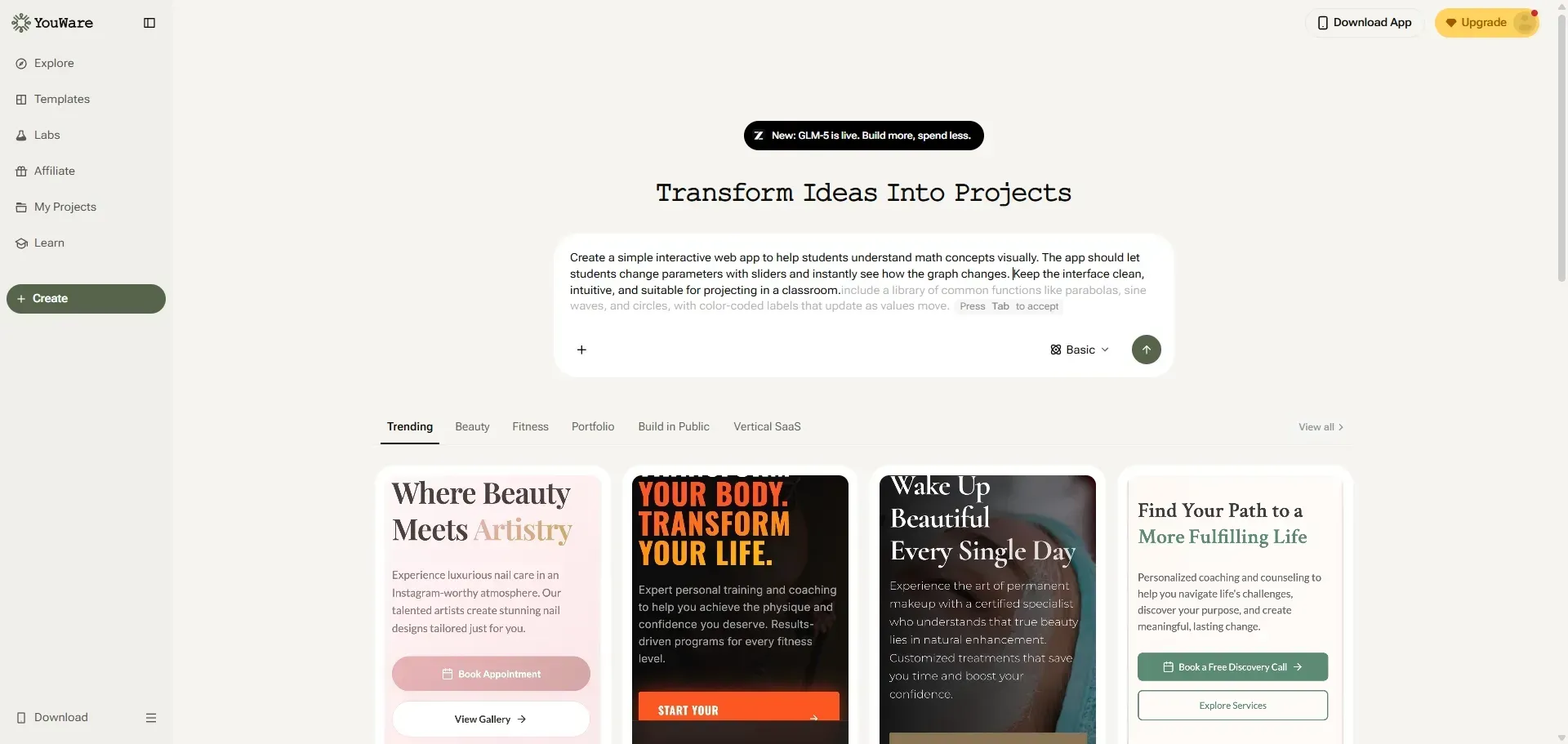
Start from a lesson idea
Begin with a topic or skill students need to practice. Describe how students should interact with the activity.
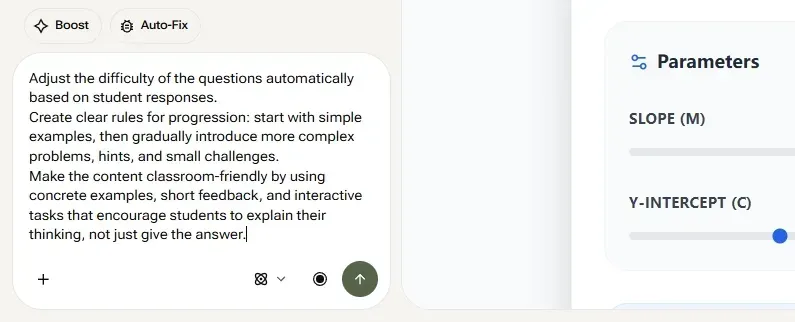
Shape the activity
Adjust questions, rules, and content until it fits your class. Refine lessons based on student understanding and engagement.
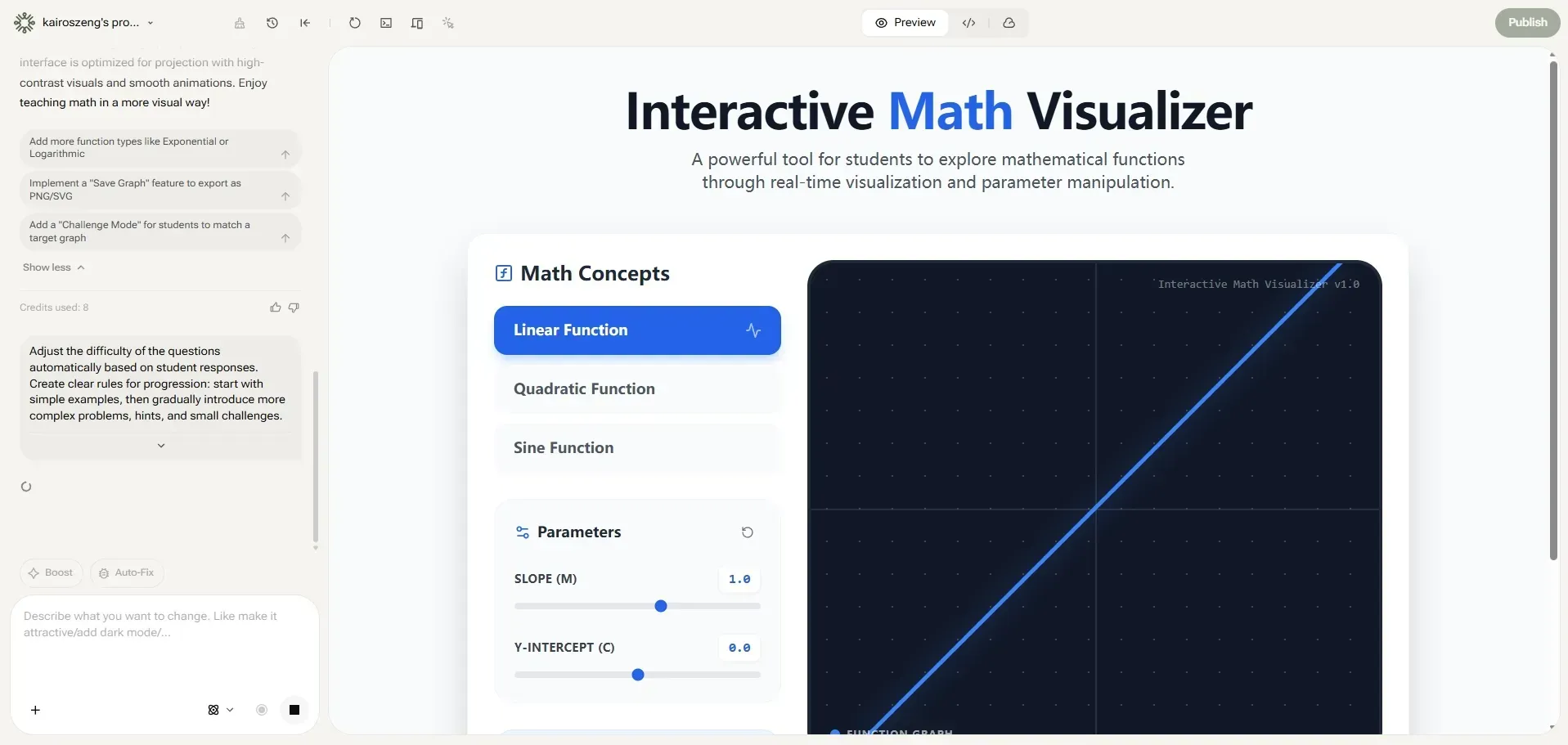
Use it with students
Share the activity in class or as homework. Reuse it, improve it, and adapt it for future lessons.
Explore other ways to build with YouWare
YouWare supports different ways of creating across the platform. Browse other roles to see how people use YouWare beyond education.
FAQs About YouWare for Educators
Teachers use YouWare to create interactive quizzes, practice exercises, review games, mini simulations, and guided learning activities. It works well for warm-ups, lesson practice, and end-of-class checks.

