Frontend vs Backend: What Developers Need to Know

You click a button and something happens. A page loads, a form submits, an animation plays. Somewhere behind that click, two completely different worlds are working together — and most people building websites have no idea where one ends and the other begins.
That confusion costs real time. You start a project, pick the wrong tools, realize halfway through that the thing you're building needs a database — or that you've been overengineering a backend for something that only needed a static page. Sound familiar?
Let's fix that. This is the practical guide to frontend vs backend development — what each one actually does, where they overlap, and how modern tools like YouWare are blurring the line between them.
Key Takeaways
- Frontend is everything users see and interact with — HTML, CSS, JavaScript, and the visual layer of a website
- Backend is the engine behind the scenes — servers, databases, authentication, and business logic
- Full stack development combines both, but the traditional approach requires years of learning
- Modern AI platforms like YouWare handle both frontend and backend from a single interface, letting you build complete apps without switching tools
What Is Frontend Development?
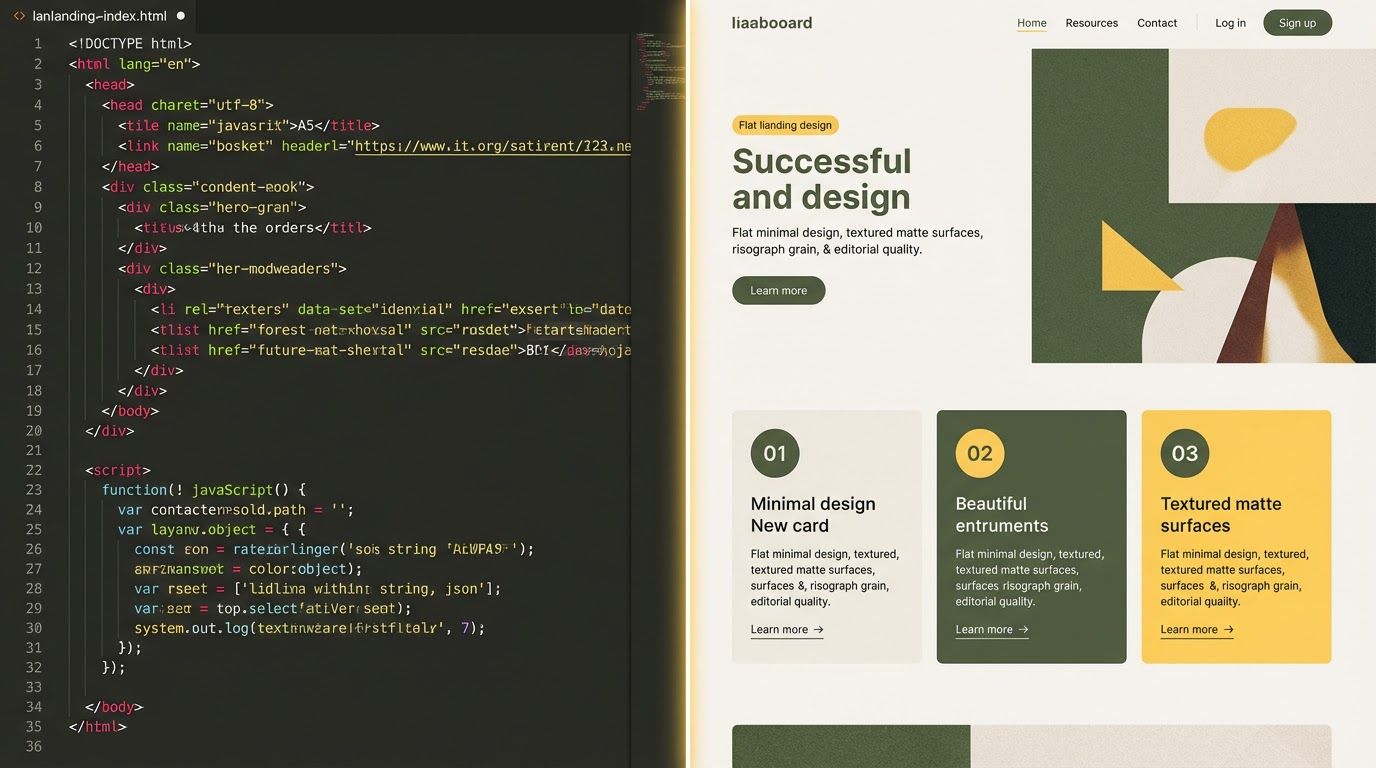
Frontend development is the part of web development that users actually touch. When you visit a website, everything you see — the layout, the colors, the buttons, the animations, the text — is the frontend. It runs in your browser, on your device.
The core languages are the same ones that have powered the web for decades:
- HTML structures the content (headings, paragraphs, images, links)
- CSS styles everything (colors, fonts, spacing, animations, responsive layouts)
- JavaScript makes it interactive (button clicks, form validation, dynamic content updates)
What Frontend Developers Actually Do
It's not just "making things look pretty." Frontend development involves:
| Task | What It Means |
|---|---|
| Layout & Responsive Design | Making pages work on phones, tablets, and desktops |
| Performance Optimization | Ensuring pages load in under 2 seconds |
| Accessibility | Making sure screen readers and keyboards can navigate the site |
| State Management | Tracking what the user is doing (logged in? cart items? dark mode?) |
| API Integration | Fetching data from the backend and displaying it |
| Animation & UX | Smooth transitions, loading indicators, microinteractions |
Frontend Frameworks in 2026
The JavaScript ecosystem is mature now. The big players:
- React — Still the most popular. Component-based, massive ecosystem.
- Next.js — React with built-in routing, SSR, and edge functions.
- Vue / Nuxt — Simpler learning curve, growing fast.
- Svelte / SvelteKit — Compiles away the framework, blazing fast output.
- Astro — Content-first, ships zero JavaScript by default.
Each has trade-offs. React has the biggest job market. Svelte has the happiest developers. Astro is fastest for content sites. Next.js is the Swiss Army knife.
But here's the thing — you don't always need to pick a framework at all. If your goal is to build and ship a working website, tools like YouWare let you skip the framework decision entirely. Describe what you want, and AI generates the frontend code — complete with responsive design, animations, and interactive elements.
Already have a Figma design? YouWare's Figma-to-website feature converts your design files into clean, functional code. No pixel-pushing in CSS. No arguing about which component library to use. Your design becomes a live site in minutes.
And once the frontend is live, fine-tuning is instant. The Visual Editor lets you click any element — text, images, buttons, spacing — and modify it directly, like editing a slide deck. Change a font size, swap a color, adjust padding. Zero credits, instant preview. The AI even remembers your manual edits so future modifications respect what you've already customized.
See something you like in the YouWare community? Hit Remix. It copies the entire project — frontend, styling, everything — and lets you modify it with natural language. "Change the color scheme to dark mode" or "Replace the hero image and add a pricing section." You go from someone else's polished design to your own customized version in seconds.
What Is Backend Development?
If the frontend is the restaurant dining room, the backend is the kitchen. Users never see it, but nothing works without it.
Backend development handles everything that happens on the server:
- Processing requests — When a user submits a form, the backend receives, validates, and stores the data
- Database operations — Reading and writing data (user profiles, orders, content, settings)
- Authentication — Who are you? Are you allowed to do this?
- Business logic — Calculating prices, applying discounts, sending notifications
- File storage — Uploading images, documents, and media
- Third-party integrations — Payment gateways, email services, analytics, external APIs
Backend Languages and Stacks
Unlike the frontend (where JavaScript dominates), the backend has more diversity:
| Language | Popular Frameworks | Known For |
|---|---|---|
| JavaScript/Node.js | Express, Fastify, Nest.js | Same language as frontend, great for real-time apps |
| Python | Django, Flask, FastAPI | Clean syntax, strong in data/ML, rapid prototyping |
| Go | Gin, Echo, Fiber | Blazing performance, great concurrency |
| Ruby | Rails | Developer happiness, convention over configuration |
| Java | Spring Boot | Enterprise standard, robust ecosystem |
| Rust | Actix, Axum | Maximum performance, memory safety |
| PHP | Laravel | Still powers ~40% of the web (WordPress) |
What Backend Developers Actually Do
| Task | What It Means |
|---|---|
| API Design | Creating endpoints that the frontend talks to |
| Database Design | Structuring how data is stored and related |
| Authentication & Authorization | Login systems, permissions, security |
| Server Management | Deployment, scaling, monitoring, logging |
| Caching | Making frequently accessed data load faster |
| Security | Preventing SQL injection, XSS, CSRF, and data breaches |
The Backend Bottleneck
Here's the dirty secret of web development: the backend is where most projects stall.
You can prototype a beautiful frontend in a weekend. But the moment you need user accounts, a database, or any kind of persistent data — the complexity jumps. You're suddenly configuring servers, setting up databases, writing migration files, handling environment variables, managing deployment pipelines, and debugging authentication flows.
This is exactly why platforms like YouWare created YouBase — a built-in backend that gives you database, authentication, file storage, and even secrets management without leaving the platform. On the Pro plan ($20/month), you get YouBase included. No server setup. No DevOps. Just describe what data you need to store, and YouBase handles the rest.
What does that actually look like in practice?
- Database: Tell the AI "store user profiles with name, email, and preferences" and YouBase creates the schema. No SQL. No migration files. No ORM configuration.
- Authentication: "Add login with email and password" — done. User signup, login, session management, all wired up to your frontend automatically.
- File storage: Users need to upload profile photos or documents? YouBase handles it. No S3 bucket setup, no signed URLs, no file size validation code.
- Secrets: Need to connect a third-party API? Store your API keys securely in YouBase Secrets instead of hardcoding them or fumbling with
.envfiles.
Think of it: user signup, login, data storage, file uploads — all from the same interface where you designed your frontend. That's the kind of integration that used to require a full-stack team. And if something breaks? AutoFix catches common errors automatically — zero credits charged.
Frontend vs Backend: Side-by-Side Comparison
Let's break down the real differences:
| Aspect | Frontend | Backend |
|---|---|---|
| Runs on | User's browser | Server |
| Languages | HTML, CSS, JavaScript | Node.js, Python, Go, Java, Ruby, PHP |
| Main concern | How it looks and feels | How it works and stores data |
| Users see it? | Yes — everything visible | No — invisible to users |
| Performance focus | Page load speed, responsiveness | Request handling, query speed, uptime |
| Security focus | Input validation, XSS prevention | Authentication, data protection, injection prevention |
| Testing | Visual testing, cross-browser | Unit tests, integration tests, load tests |
| Deployment | CDN, static hosting | Servers, containers, cloud platforms |
Which Is Harder?
Depends who you ask. Frontend developers deal with browser inconsistencies, pixel-perfect designs, accessibility requirements, and the eternal CSS layout struggle. Backend developers wrestle with database design, security vulnerabilities, scalability challenges, and debugging issues you can't see.
The honest answer: both are hard in different ways. Frontend challenges are visible — you can see when something looks wrong. Backend challenges are invisible — things work until they catastrophically don't.
Pros
Cons
Full Stack Development: The Best of Both Worlds?
A full stack developer handles both frontend and backend. It sounds impressive — and it is — but it's also an enormous skill surface to cover.
Traditionally, becoming full stack meant learning:
- HTML, CSS, JavaScript (frontend basics)
- A frontend framework (React, Vue, etc.)
- A backend language and framework (Node.js + Express, Python + Django, etc.)
- Database management (SQL or NoSQL)
- API design (REST or GraphQL)
- Authentication systems (OAuth, JWT, sessions)
- Deployment and DevOps (Docker, CI/CD, cloud platforms)
- Version control (Git)
That's years of learning. And even experienced full stack developers have a stronger side — most lean either frontend or backend.
The Modern Shortcut
Here's where things have changed dramatically. AI-powered platforms have compressed the full-stack learning curve from years to hours.
With YouWare, you describe an app in plain English, and AI generates both the frontend and backend code. Need a login system? Tell it. Want a database to store user data? YouBase handles it. Need the UI to look professional? The AI builds responsive layouts with modern design patterns.
Here's what a full-stack workflow looks like on YouWare:
- Describe your app — "Build a task manager with user authentication, drag-and-drop boards, and a dark mode toggle"
- AI generates everything — Frontend UI, backend logic, database schema
- Refine with natural language — "Make the sidebar collapsible" or "Add a due date field to tasks"
- Visual Edit for pixel-perfect adjustments — Click any element, change colors, fonts, spacing — zero credits, instant results
- Use Tab Tab completion — As you work, AI predicts your next action and suggests it. Press Tab to accept
- Record with CoView — See a bug? Hit record, point at the issue, explain in your voice. AI understands what you're showing it
- Deploy — One click to publish, or download the code and host it yourself
You're building full stack apps without the years of learning. And if you're an experienced developer, YouWare accelerates your workflow — not by replacing your skills, but by handling the repetitive parts so you focus on the interesting ones.
Try Full-Stack AI BuildingHow Frontend and Backend Communicate
Understanding the frontend-backend connection is crucial, whether you're building from scratch or using a platform.
The Request-Response Cycle
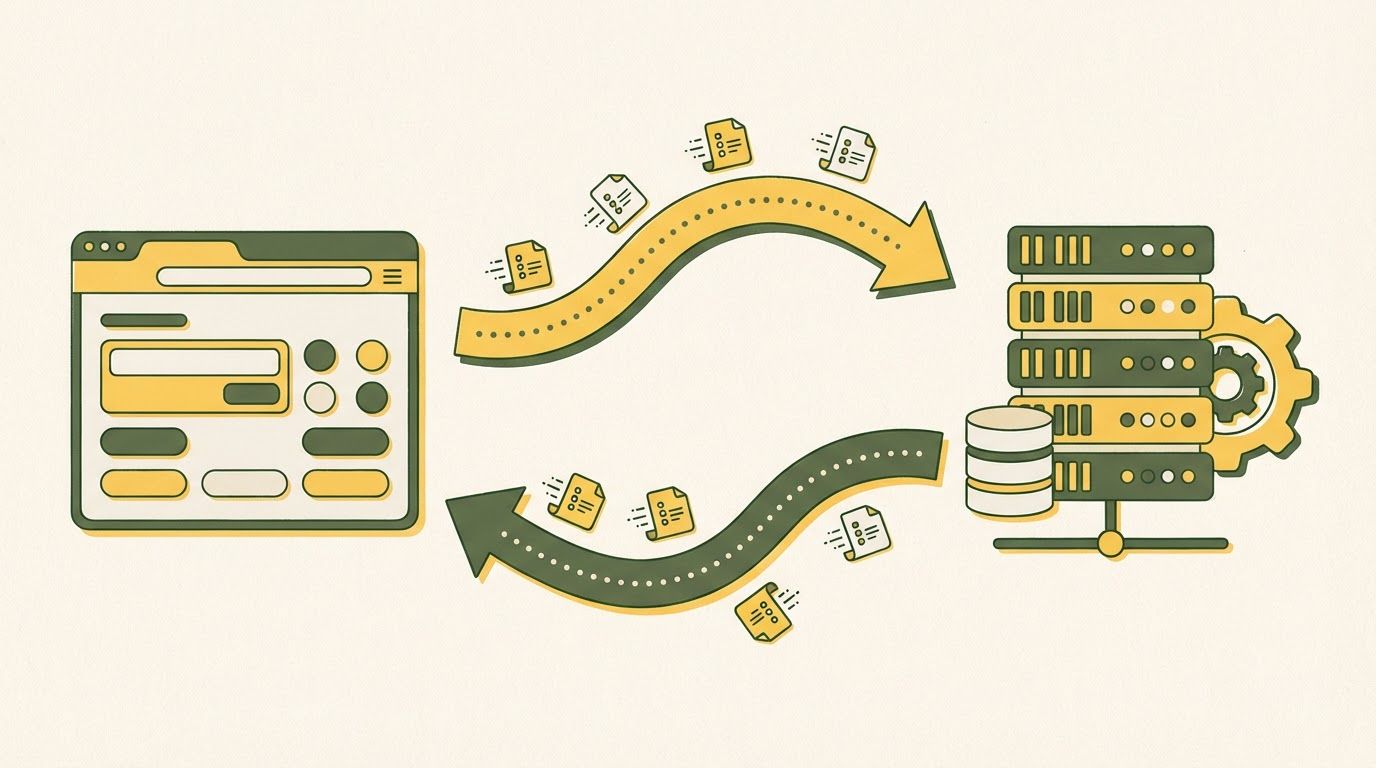
Every web interaction follows this pattern:
- User action — You click "Submit Order" on a website
- Frontend sends request — JavaScript makes an API call to the server
- Backend processes — Server validates the data, checks inventory, calculates total
- Database query — Backend reads/writes to the database
- Backend responds — Server sends back a JSON response
- Frontend updates — JavaScript receives the response and updates the page
// Frontend: Sending a request
const response = await fetch('/api/orders', {
  method: 'POST',
  headers: { 'Content-Type': 'application/json' },
  body: JSON.stringify({
    items: [{ id: 'prod_123', qty: 2 }],
    shipping: 'express'
  })
});

const order = await response.json();
// Update the UI with order confirmation
// Backend: Handling the request (Node.js/Express)
app.post('/api/orders', async (req, res) => {
  const { items, shipping } = req.body;

  // Validate items exist and are in stock
  const validated = await validateItems(items);

  // Calculate total
  const total = calculateTotal(validated, shipping);

  // Save to database
  const order = await db.orders.create({
    items: validated,
    total,
    shipping,
    status: 'confirmed'
  });

  res.json({ orderId: order.id, total, status: 'confirmed' });
});
APIs: The Bridge Between Worlds
APIs (Application Programming Interfaces) are the contract between frontend and backend. The two main styles:
REST APIs — The standard. Each URL represents a resource, and HTTP methods (GET, POST, PUT, DELETE) define what you're doing with it. Simple, well-understood, works everywhere.
GraphQL — Lets the frontend request exactly the data it needs, nothing more. Great for complex apps with lots of related data. More complex to set up.
On YouWare, you don't have to build APIs from scratch. YouBase provides a ready-made backend with database operations, authentication, and file storage — all accessible through built-in functions. No endpoint configuration, no middleware setup, no CORS headaches.
How YouWare Handles Both Sides for You
We've talked about frontend and backend as separate worlds. But what if you didn't have to think about the boundary at all?
That's the core idea behind YouWare. Instead of hiring a frontend developer and a backend developer (or spending years becoming both), you describe what you want — and the platform handles both layers in a single conversation.
Here's a real example. Say you want to build a freelancer invoicing tool:
- You say: "Build an invoicing app where I can create clients, generate invoices with line items, and track payment status"
- YouWare builds the frontend: Clean dashboard with a client list, invoice creation form, and a status tracker. Responsive design, works on mobile.
- YouWare builds the backend: YouBase creates database tables for clients and invoices, sets up relationships between them, and wires the frontend forms to database operations.
- You refine: "Add a PDF export button" — AI adds the feature across both frontend (button UI) and backend (PDF generation logic).
- You polish: Open the Visual Editor, drag to adjust the layout, change your brand colors, update the logo. Zero credits.
That whole process? Minutes, not months.
The YouWare Toolkit for Frontend
| Feature | What It Does | Credits |
|---|---|---|
| AI Code Generation | Describe a page, get working HTML/CSS/JS | Varies |
| Visual Editor | Click and edit any element — fonts, colors, spacing | Free |
| Figma to Website | Convert Figma designs into live code | Standard |
| Tab Tab Completion | AI predicts your next edit and suggests it | Included |
| Boost | One-click AI optimization for any page | Standard |
| Remix | Copy any community project and customize it | Free |
The YouWare Toolkit for Backend
| Feature | What It Does | Plan Required |
|---|---|---|
| YouBase Database | Structured data storage, no SQL needed | Pro ($20/mo) |
| Authentication | User signup, login, sessions — automatic | Pro |
| File Storage | Image/document uploads, managed for you | Pro |
| Secrets | Secure API key storage (no .env headaches) | Pro |
| MCP Integration | Connect AI to external tools and data sources | Pro |
| Custom Domains | Your app on yourdomain.com | Pro |
Safety Nets That Actually Work
Here's what most platforms don't give you: a way to undo mistakes without losing progress.
YouWare's History system takes automatic snapshots of every change. Not just the latest version — every version. You can preview any snapshot before restoring, see exactly what changed, and jump back to any point in time.
And if the AI generates something that misses the mark? Credit Care lets you rewind to a previous version and get your credits back. Not a vague "we'll look into it" refund process — an instant, self-service rewind. Pro users get 30 Credit Care uses per month. Ultra gets 150.
Between History snapshots and Credit Care rewinds, experimenting becomes risk-free. Try a bold redesign. If it doesn't work, roll back in seconds. Your credits come back. Your old version is exactly where you left it.
Start Building with YouWareChoosing Your Path: Frontend, Backend, or Full Stack?
If you're trying to decide where to focus, here's a practical framework:
Choose Frontend If You...
- Love visual design and aesthetics
- Enjoy seeing immediate results of your work
- Care about user experience and accessibility
- Want to work closely with designers
- Like CSS (yes, some people do)
Choose Backend If You...
- Love logic, algorithms, and problem-solving
- Enjoy working with data and databases
- Care about security and system architecture
- Prefer working on "invisible" infrastructure
- Like building things that scale
Choose Full Stack If You...
- Want to build complete projects independently
- Like variety — switching between UI and logic
- Are freelancing or building a startup (you'll need both)
- Want maximum job flexibility
Or Choose a Platform That Does Both
Here's the option nobody talks about: you don't have to choose.
Platforms like YouWare combine frontend and backend development into a single workflow. You describe what you want, AI handles both sides, and you refine the result. This approach is especially powerful for:
- Solo founders who need to ship fast without hiring separate frontend and backend developers
- Designers who have the vision but not the backend skills
- Backend developers who want professional frontends without becoming CSS experts
- Students learning web development who want to understand the full picture by building real apps
The Boost feature automatically analyzes and optimizes your pages — both the visual frontend and the underlying code structure. And with Credit Care, if the AI generates something you don't like, you can rewind and get your credits back (30 uses/month on Pro, 150 on Ultra).
Already coding in VS Code or Cursor? YouWare has extensions for both. Build your project locally, then publish to YouWare with a single click — get an instant shareable link, custom domain support, and all the AI-powered editing tools on top of your existing code. It's not "our platform or your IDE." It's both.
The Future of Frontend vs Backend
The line between frontend and backend is getting blurrier every year:
- Edge computing pushes backend logic closer to users, running on CDN nodes worldwide
- Server components (like React Server Components) mix server and client rendering in the same file
- Serverless functions let you write backend logic without managing servers
- AI-powered development generates both layers simultaneously from natural language descriptions
This convergence is why platforms like YouWare are gaining traction. When AI can generate both your responsive frontend and your database-backed backend from a single conversation, the old frontend-vs-backend divide starts mattering less than whether you can clearly describe what you want to build.
The developers who thrive in 2026 aren't the ones who picked the "right" side. They're the ones who understand both sides well enough to know which tools to reach for — and smart enough to let AI handle the boilerplate while they focus on what makes their project unique.

FAQ
I only know HTML and CSS. Can I actually build a full-stack app?
Yes — and this is exactly where AI tools shine. With YouWare, you describe what your app should do in plain English. The platform generates the frontend UI, connects it to YouBase for backend features (database, auth, storage), and you can refine everything visually or with natural language. You don't need to learn Node.js or Python to get a working app with user accounts and data storage.
Is frontend or backend development paid better?
Backend developers typically earn slightly more because the work involves security, data, and infrastructure — areas where mistakes are expensive. But the gap is closing. Senior frontend engineers who specialize in performance or accessibility command premium salaries. Full-stack developers who can do both are the most versatile hires.
Do I need to learn both frontend and backend to get hired?
Not necessarily. Many companies hire specialists. But understanding the other side — even at a basic level — makes you dramatically more effective. If you're a frontend dev who understands how APIs work, or a backend dev who can read React components, you'll collaborate better and solve problems faster.
What's the fastest way to build a full-stack app from scratch?
If you're coding manually: Next.js + a managed database (Supabase, PlanetScale) + Vercel for hosting. That's the fastest traditional stack. If you want even faster: describe your app in YouWare and have AI generate both layers. You can always download the code and customize it later.
Can I use YouWare for just the frontend and bring my own backend?
Absolutely. YouWare generates standard HTML, CSS, and JavaScript. You can build the frontend in YouWare, download the code, and connect it to any backend — your own Node.js server, a Python API, Firebase, Supabase, anything. YouBase is there if you want an integrated backend, but it's not required.
What happens if the AI builds something I don't like?
That's what Credit Care is for. Rewind to any previous version and get your credits back instantly — no support tickets, no waiting. Pro plan gives you 30 rewinds per month, Ultra gives 150. Between that and the automatic version history that saves every change, experimenting is basically risk-free.
I already use VS Code. Do I have to switch to YouWare's editor?
Nope. YouWare has a VS Code extension (and a Cursor extension too). Code in your own IDE, then publish to YouWare with one click. You get an instant shareable link, optional custom domain, and all the AI features layered on top of your existing workflow. Use whatever editor you're comfortable with.
Build Something Today
You've read about the theory. Now go build something.
Pick a side project — a personal dashboard, a portfolio site, a small tool for your team. If you want to start with frontend only, build a static site. If backend interests you more, create an API. And if you want to experience both at once, try building a complete app on YouWare — it's the fastest way to see how frontend and backend work together in practice.
The best way to understand web development isn't reading about it. It's shipping something.
Build your first full-stack app in minutes
Start Building Free