Manus My Computer Desktop: What It Is, How It Works, and Why It Matters

Manus My Computer desktop is a feature that allows an AI agent to operate directly on a user's computer. Instead of only generating responses, Manus can interact with files, run commands, and execute workflows across applications.
This moves AI from a tool that assists with tasks to one that can carry them out. As part of the broader trend of computer-use AI and workflow automation, Manus My Computer desktop represents a new step in how people use AI to get work done.
AI tools are changing fast. Most systems started as chat interfaces that generate text, code, or ideas. Now a new category is emerging: AI that can execute tasks, not just suggest them.
Manus is part of this shift. With the introduction of the Manus My Computer desktop experience, the product moves beyond conversation and into direct interaction with a user's environment. This marks a new stage in AI development, where agents begin to operate inside real workflows rather than just assist from the outside.
What Is Manus My Computer Desktop?
Manus My Computer Desktop is a desktop-level feature that allows an AI agent to interact directly with a user's computer environment.
Instead of working only through a browser or chat interface, the system can access local files, execute commands, and operate across applications. In practice, this means the AI is not limited to generating outputs—it can perform actions inside the user's workspace.
This approach positions Manus as part of a growing category of computer-use AI, similar to how coding agents interact with development environments and tools in a more direct way.
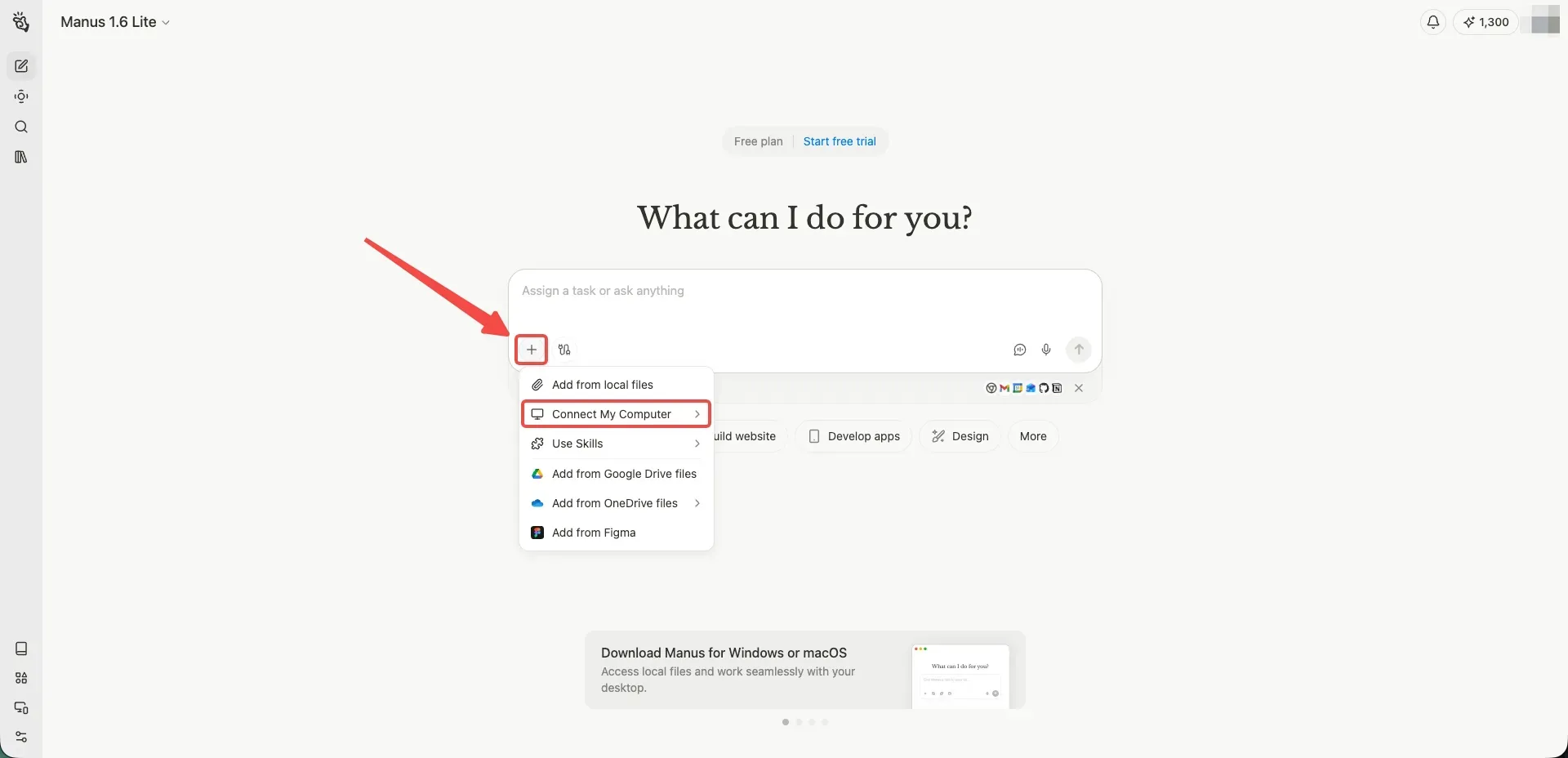
What Can Manus My Computer Desktop Do?
The core idea behind Manus My Computer desktop is that the AI can take actions, not just provide instructions. This opens up a range of practical use cases.
One common use is file management. The agent can locate files, organize folders, or process documents on user instructions. Instead of manually searching and sorting, users can delegate these tasks.
Another area is running commands and scripts. Manus can execute system-level or development-related tasks, which is useful for repetitive workflows or technical operations.
It can also support workflow automation across apps. Tasks that involve multiple steps—such as gathering data, updating files, and interacting with tools—can be handled as a sequence executed by the agent.
In addition, Manus can interact with applications on the computer. This includes navigating interfaces, triggering actions, or coordinating work between different tools.
How Manus My Computer Desktop Works
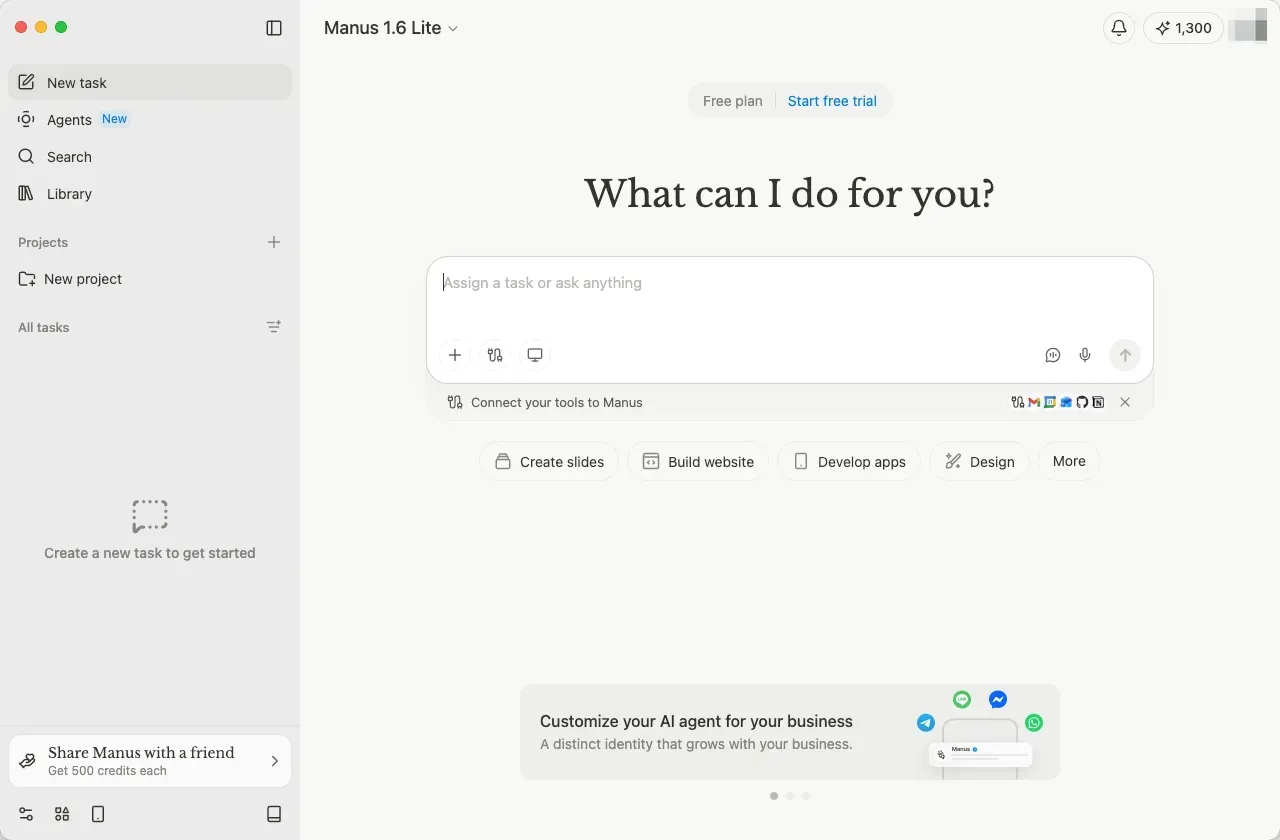
The Manus My Computer desktop feature is designed as a local or desktop-connected experience rather than a purely web-based tool.
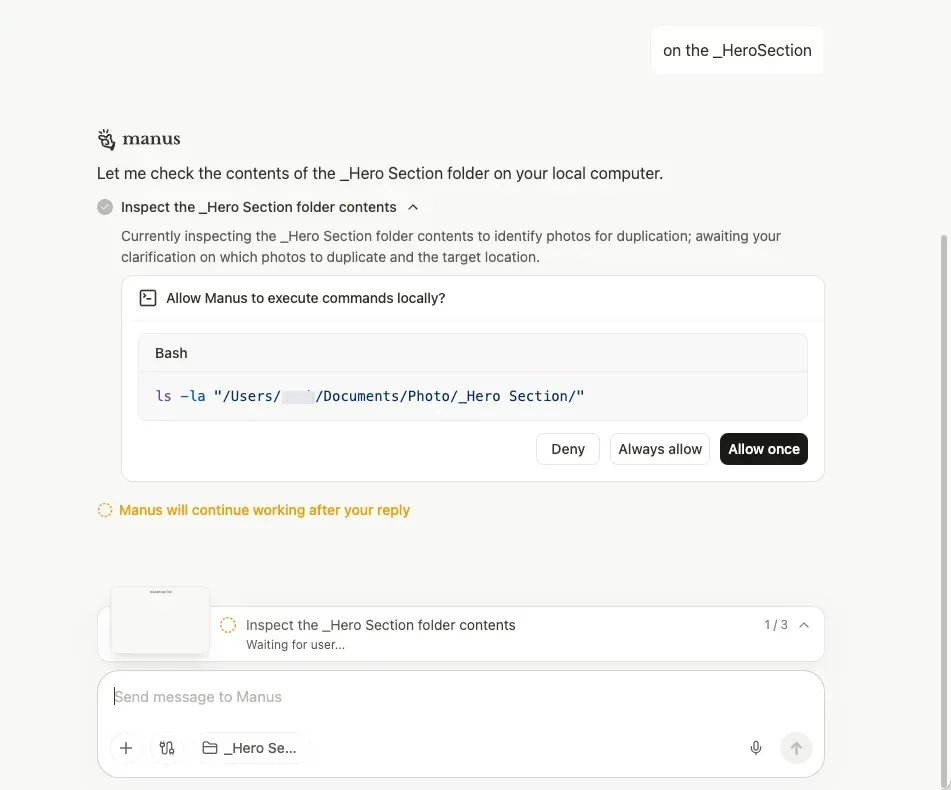
Users connect the system to their environment, allowing the AI agent to access files, applications, and system-level functions within defined permissions. Once connected, the agent can interpret instructions and translate them into actions.
A typical workflow starts with a request. Instead of returning only text, the agent breaks the task into steps and executes them directly on the computer. This may include opening files, running commands, or interacting with applications.
Because the system operates within the user's environment, it can work across multiple tools and processes, making it suitable for tasks that span beyond a single application.
Why Manus My Computer Desktop Matters
To understand why Manus My Computer desktop matters, it helps to look at how most AI tools work today.
Most current systems are designed to generate or assist. They can write content, suggest code, or explain steps, but the actual execution still depends on the user. There is always a gap between "what to do" and "doing it."
A new category of systems is starting to explore this gap. These are often described as computer-use AI, where models can interact with operating systems, interfaces, and tools.
Manus represents a step toward turning this idea into a real product experience. Instead of focusing only on generation, it enables execution inside real workflows.
For users, this changes how work gets done. Instead of manually completing each step, they can delegate more of the process to the AI. Tasks that involve multiple tools or repetitive actions can be completed faster, with less manual coordination.
Limitations and Considerations
As with any early-stage technology, Manus My Computer desktop comes with considerations.
One concern is security and permissions. Allowing an AI agent to access files and execute commands requires clear boundaries and user control.
Another factor is reliability. Because the agent interacts with real environments, errors can have more direct consequences than in a chat-based system.
There is also the question of product maturity. Features like this are still evolving, and their long-term capabilities are not yet fully defined.
An Alternative Approach: Building Apps With YouWare
Manus focuses on using AI to operate within your existing computer environment. Another approach is to let AI generate the tools you need instead.
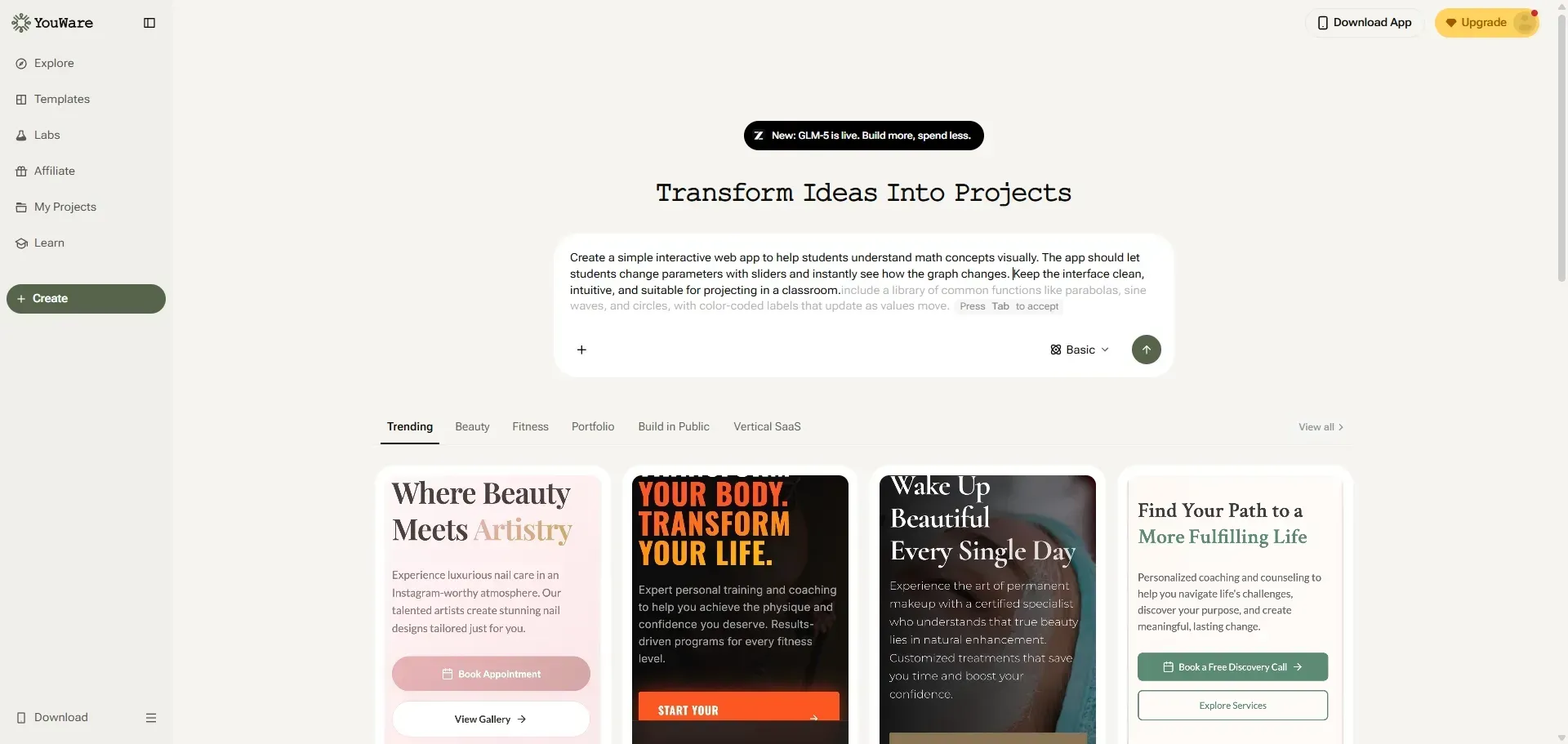
YouWare is an AI app builder that creates applications directly from natural-language prompts. Instead of automating tasks across multiple tools, users can generate a dedicated app that performs a specific function.
For those who prefer a no-code app builder approach, this can be useful when the goal is not just to automate a workflow, but to build a reusable tool for it.

Build websites in seconds with AI vibe coding
Try YouWare FreeFAQ About Manus My Computer Desktop
Does Manus AI have a desktop app?
Manus My Computer desktop is designed as a desktop-level feature that allows the AI agent to interact with a user's local environment. It connects the AI to local files, applications, and system-level functions within defined permissions. This is different from a traditional desktop app — it's an AI agent that can execute tasks directly on your computer rather than just providing answers in a chat interface.
What is Manus computer?
Manus refers to an AI system designed to assist with tasks and workflows. The "My Computer" feature specifically enables the agent to operate directly on a user's computer, accessing local files, running commands, and interacting with applications. This positions Manus as a computer-use AI system rather than a standard text-generation tool.
Can Manus use my browser?
Manus can interact with applications on a computer, which may include browser-based tools depending on permissions and setup. The system is designed to coordinate across different applications in the user's environment, which means browser automation is one of the potential use cases when the appropriate access is granted.
Is Manus AI free?
Pricing and availability for Manus may vary, as the product is still evolving and being rolled out. At the time of writing, access may be limited or offered through a waitlist. For those exploring alternatives, tools like YouWare offer free plans for building AI-powered apps without needing to install a desktop agent.