Bolt App Builder: What It Is, Features, Pricing, and Alternatives (2026 Guide)

Bolt App Builder is an AI-powered development platform that allows users to build and run applications directly in the browser. By combining AI coding agents with a browser-based development environment, Bolt enables developers to generate code, create projects, and deploy applications without setting up local tools. Developers often use Bolt to build web applications, internal tools, and rapid prototypes while working inside a cloud-based coding environment. This guide explains what the Bolt app builder is, what you can build with it, how it works, and what alternatives exist.
AI development tools are changing how software is created. Instead of installing local development environments and writing every line of code manually, builders can now generate projects with AI and run them directly in the browser.
Platforms like Bolt App Builder are part of this new generation of AI-powered development tools. By combining AI coding agents with browser-based infrastructure, Bolt allows developers to start building applications almost instantly and iterate quickly on new ideas.
What Is the Bolt App Builder?
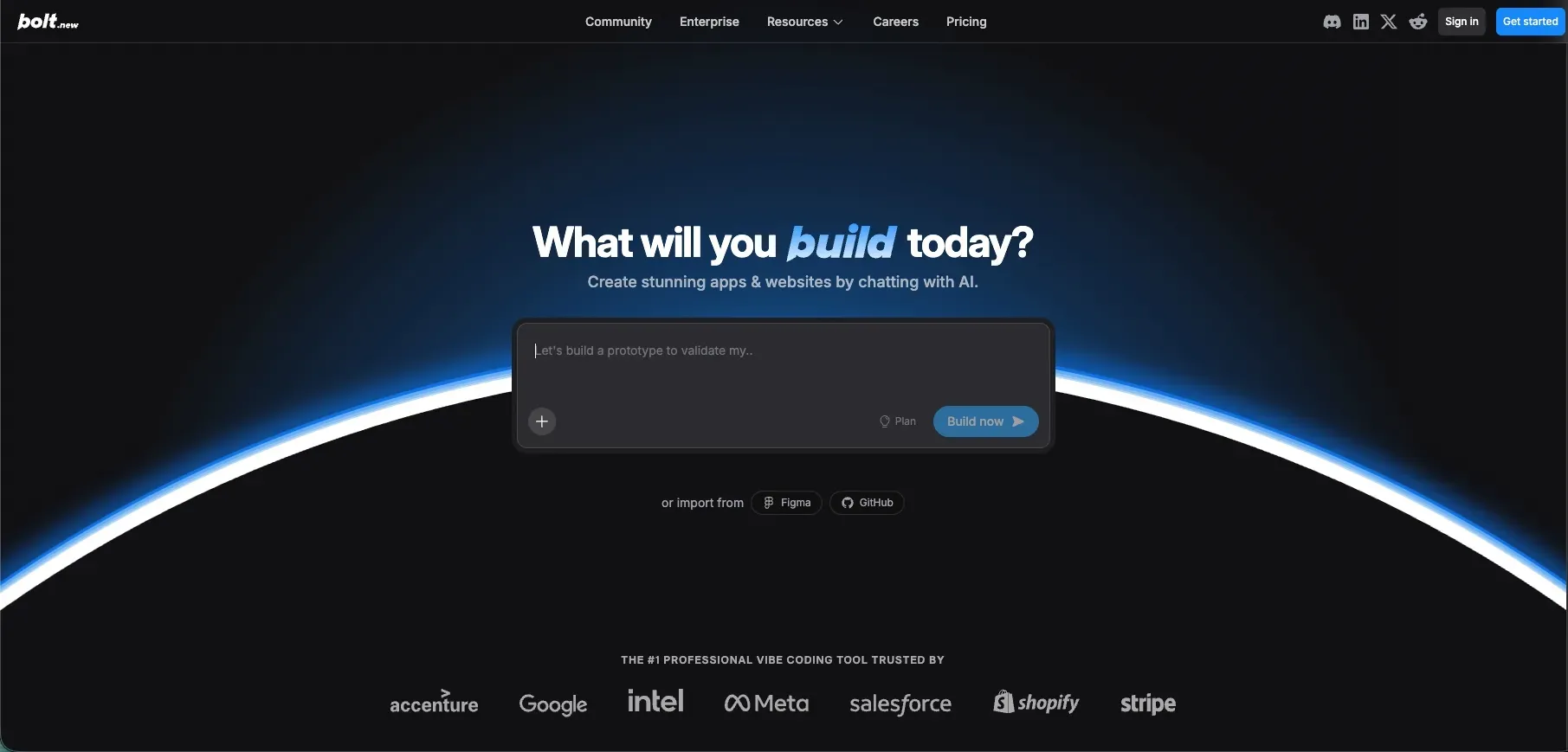
Bolt App Builder is an AI-powered development platform that enables developers to create applications directly in the browser using AI-assisted coding.
Unlike traditional development environments that require local setup, Bolt runs entirely in the browser using WebContainers. This allows developers to start coding immediately without installing tools or configuring development environments.
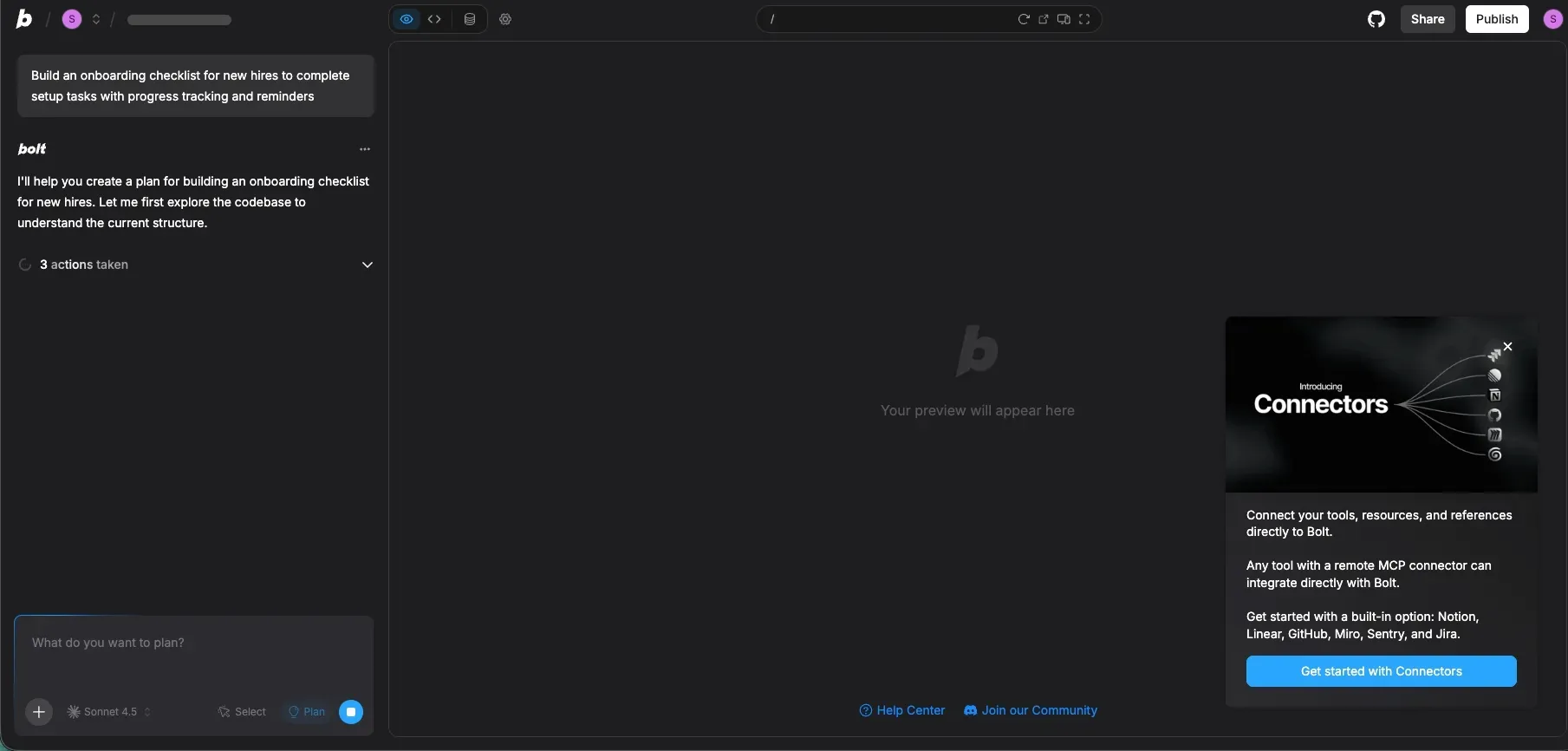
A key part of the platform is its AI coding agents, which help generate code, modify projects, and assist with development tasks. Developers can interact with these agents to build and refine applications more quickly.
Because of this architecture, Bolt is often categorized as part of the broader ecosystem of AI development tools or AI coding tools that aim to simplify and accelerate software creation.
What Can You Build With Bolt?
Developers use the Bolt app builder for a variety of projects, especially when they want to build and test applications quickly inside a browser-based environment.
Web applications
Bolt can be used to create full web applications using modern frameworks. Because the platform provides a browser-based coding environment, developers can generate code with AI and run the project immediately.
Internal tools
Many teams use Bolt to build lightweight internal tools such as dashboards, admin panels, or operational interfaces. These tools often require quick development cycles, making AI-assisted coding environments useful.
Rapid prototypes
Bolt is also commonly used for rapid prototyping. Developers can generate initial project structures, test ideas, and iterate on application logic quickly without setting up a full development environment.
AI-powered prototypes
Bolt is also useful for experimenting with AI-powered ideas. Developers can quickly generate application structures, test integrations, and iterate on new concepts without setting up a traditional development stack. This makes the platform useful for exploring product ideas or building early-stage AI tools.
In most cases, these use cases are supported by Bolt's combination of AI coding agents, browser-based development, and integrated project execution.
How Bolt App Builder Works
In many cases, developers interact with Bolt primarily through the AI chat interface, which acts as a coding assistant that can generate files, modify logic, and help debug projects.
The Bolt app builder follows a workflow that combines AI-assisted coding with a browser-based development environment.
First, developers create or generate a project using prompts or templates. The AI coding agents can help generate the initial structure of the application, including files and basic logic.
Next, developers work inside the browser-based coding environment to edit files, modify the project, and add new functionality. The AI ents can assist during this process by generating code snippets or suggesting changes.
Finally, projects can be run and tested directly in the browser. Because the environment runs entirely online, developers can iterate on applications without installing local development tools.
This workflow makes Bolt particularly useful for developers who want fast iteration while still working inside a traditional coding environment.
Bolt Pricing: Is Bolt App Builder Free?
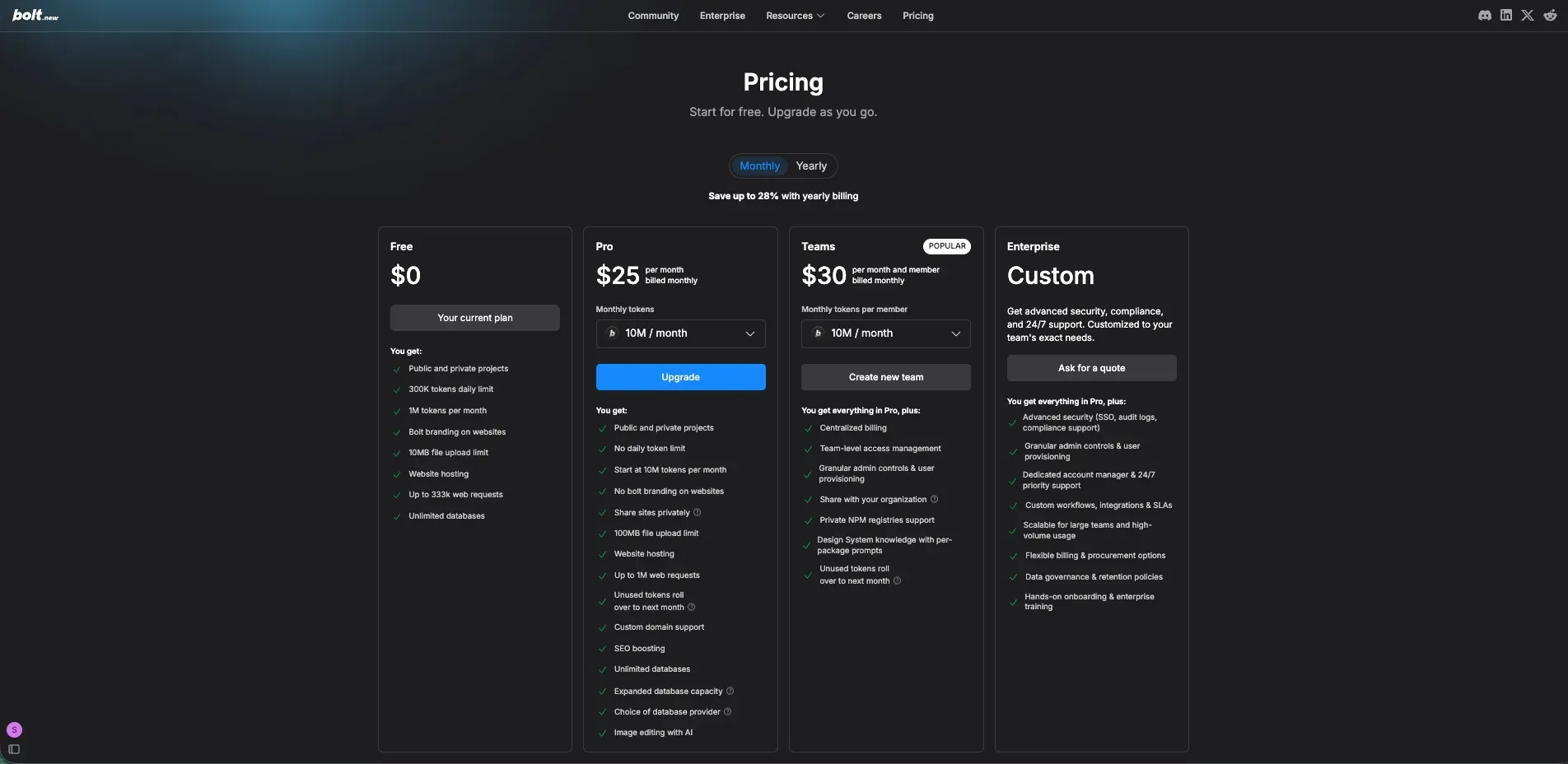
Bolt offers several pricing tiers depending on how much AI usage and collaboration features you need. The platform follows a token-based pricing model, meaning AI interactions during development consume tokens.
Bolt provides a free plan that allows developers to explore the platform and build projects with limited AI usage. Paid plans start at around $25 per month and increase token limits while unlocking additional features such as private project sharing, custom domains, and expanded development capabilities.
Bolt also offers team plans with collaboration tools like centralized billing and access management, while enterprise plans include advanced security features and dedicated support for larger organizations.
Limitations of Bolt
Like most development platforms, Bolt has certain limitations depending on the type of project you want to build.
Learning curve
Although AI assists with coding, Bolt still operates within a development environment. Developers typically need some familiarity with coding concepts and frameworks to work effectively on larger projects.
Token-based pricing
Because some plans rely on usage-based pricing, costs can vary depending on how often AI coding features are used during development.
Developer-focused workflow
Bolt is primarily designed for developers working with code. Builders looking for a fully automated app generation workflow may prefer platforms that focus more heavily on AI-driven application creation.
Alternatives to Bolt: YouWare
For builders exploring different AI development tools, it can also be useful to compare Bolt with AI-first app builders.
YouWare is an AI app builder designed to generate full applications directly from natural-language prompts. Instead of working inside a coding environment, builders describe the product they want to create and the platform generates the interface, logic, and backend automatically.
The platform also includes YouBase, a built-in backend that manages infrastructure such as database storage, authentication, and file management. This allows many projects to run without additional backend setup.
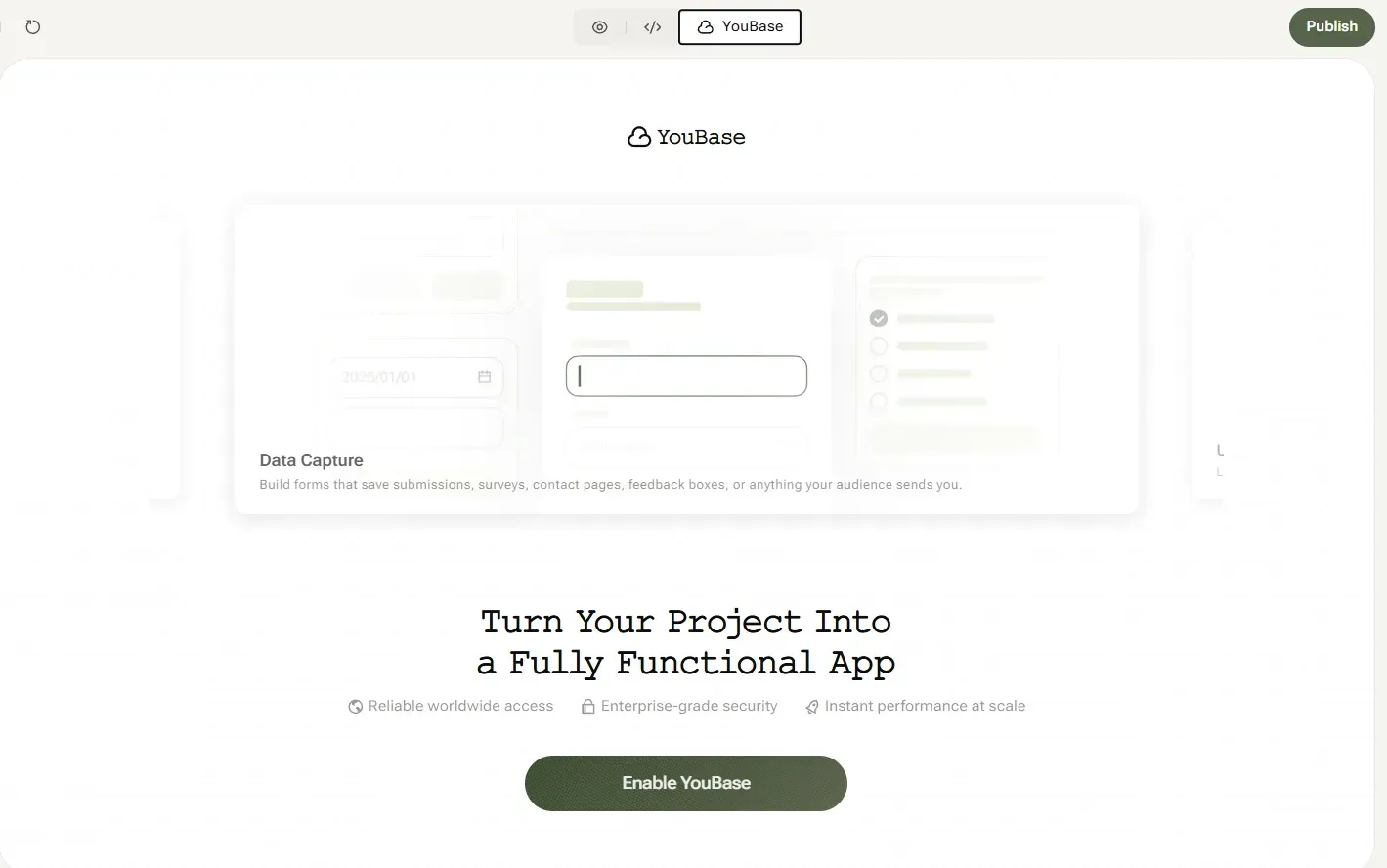
For users who prefer prompt-driven development rather than coding workflows, AI app builders like YouWare can provide a different way to create applications.
Compared with developer-oriented platforms like Bolt, YouWare focuses on generating complete applications directly from prompts. Builders can describe an idea, and the platform generates the interface, backend structure, and core functionality automatically.
This approach is especially useful for founders, designers, and creators who want to build applications quickly without managing a coding environment or configuring infrastructure manually.

Build websites in seconds
Try YouWare FreeFAQ
What is the Bolt app builder?
Bolt App Builder is an AI-powered development platform that allows developers to generate and run applications directly in the browser using AI-assisted coding tools.
Can Bolt build mobile apps?
Bolt primarily focuses on building web applications. Some projects may be adapted for mobile environments depending on the framework used, but the platform is mainly designed for browser-based development.
How much does Bolt cost?
Bolt offers multiple pricing tiers, including free plans and paid plans such as Pro and Teams. Pricing often depends on usage limits and AI interaction credits.
Is Bolt free?
Bolt provides a free plan with limited usage. Paid plans unlock additional features, higher usage limits, and expanded AI capabilities.