7 Best No-Code CRM Builders in 2026: Build Your Own CRM Without Coding

You've tried Salesforce. Too expensive. HubSpot's free tier? Too limited. And those "simple" CRM templates? They never quite fit how your team actually works.
Here's the thing: every business tracks customers differently. A freelance designer doesn't need the same CRM as a real estate agency. But most no-code CRM builders force you into their predefined structures.
That's changing. AI-powered tools now let you describe what you need—and get a working CRM in minutes, not months.
This guide compares 7 top no-code CRM builders for 2026. YouWare leads for teams wanting fully custom AI-built solutions. Airtable works best for spreadsheet lovers. Notion suits teams already in its ecosystem. Monday.com excels at visual workflows. HubSpot offers the most generous free tier. Zoho Creator handles complex business logic. Salesforce remains the enterprise standard. Each tool gets a full breakdown: key features, pricing, pros and cons, and who it's best for. A comparison table at the end helps you decide quickly.
Summary
Quick picks:
- YouWare — Best for building custom CRMs from scratch with AI
- Airtable — Best for spreadsheet-style CRM with flexible views
- Notion — Best for teams already using Notion for everything
- Monday.com — Best for visual project + CRM workflows
- HubSpot CRM — Best free traditional CRM
- Zoho Creator — Best for complex business logic
- Salesforce Platform — Best for enterprise customization
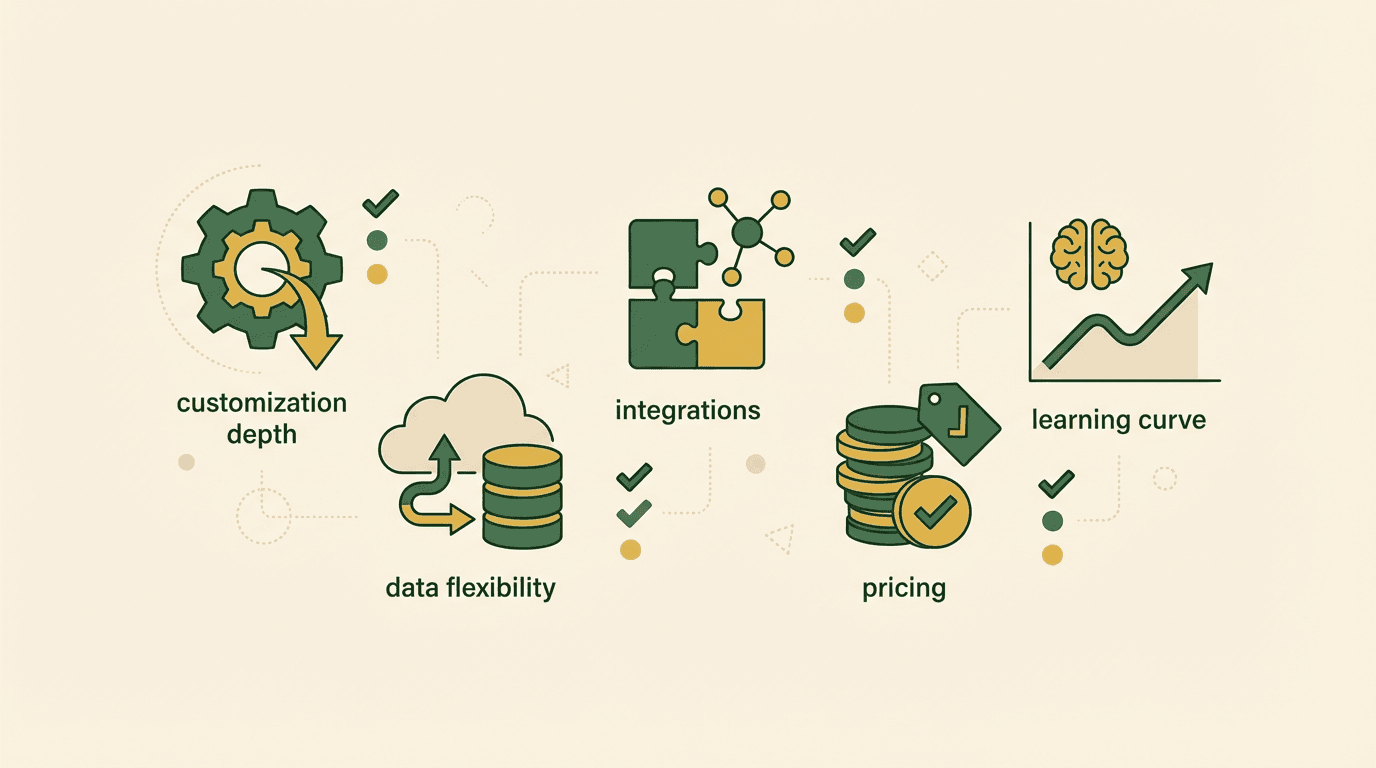
What to Look for in a No-Code CRM Builder
Before diving into tools, here's what actually matters when choosing a no-code CRM builder:
Customization Depth
Can you add custom fields? Create your own pipeline stages? Build unique dashboards? The best tools bend to your workflow—not the other way around.
Data Flexibility
Some tools lock your data in proprietary formats. Others let you export everything. If you might switch tools later, this matters.
Integration Options
Your CRM needs to talk to email, calendars, and other tools. Check what's built-in versus what requires third-party connectors.
Pricing at Scale
Many CRMs get expensive fast once you add users or contacts. A $0/month tool that costs $500/month with 10 users isn't really free.
Learning Curve
Your team needs to actually use it. A powerful tool nobody understands is worse than a simple one everyone adopts.
7 Best No-Code CRM Builders in 2026
1. YouWare — Best for Building Custom CRMs with AI
Most CRM builders give you templates. YouWare gives you an AI that builds exactly what you describe.
Here's how it works: You tell YouWare what you need—"a CRM for tracking freelance clients with project stages, invoices, and follow-up reminders"—and AI generates a complete React application with a YouBase backend. Not a template. Actual custom software.
Key Features
- AI generates complete CRM apps from natural language descriptions
- YouBase provides built-in database, authentication, and storage
- Visual editing for tweaks without touching code
- Export your code and deploy anywhere
- Remix existing CRM projects as starting points
Pricing
Free trial | Pro at $20/month (3,000 AI credits) | Ultra at $200/month (36,000 credits)
Pros
Cons
Best for: Teams who've outgrown cookie-cutter CRMs and want something built for exactly how they work.
Real Example: Oil & Gas Startup CRM
Raed Ashmawy in Saudi Arabia needed a Salesforce-like system for his oil & gas startup—but Salesforce would cost thousands. He used YouWare to build a complete internal management system tracking quality reports, safety compliance, project documentation, and sales leads. "If I use a designer or IT company, they ask a lot of money," he explained. With YouWare, he got exactly what he needed in days, not months.
2. Airtable — Best for Spreadsheet-Style CRM
Airtable turns spreadsheets into relational databases with beautiful views. If you think in rows and columns, Airtable feels natural.
Key Features
- Multiple views: grid, kanban, calendar, gallery, timeline
- Powerful filtering and grouping
- Forms for lead capture
- Automations for repetitive tasks
- Strong template library
Pricing
Free (1,000 records/base) | Team at $20/user/month | Business at $45/user/month
Pros
Cons
Best for: Small teams comfortable with spreadsheets who want more structure.
3. Notion — Best for Teams Already Using Notion
If your team lives in Notion, adding CRM capabilities keeps everything in one place. Notion databases can track contacts, deals, and tasks—all linked together.
Key Features
- Databases with relations and rollups
- Templates for quick entry
- Team collaboration built-in
- Docs, wikis, and CRM in one workspace
- API for integrations
Pricing
Free (basic) | Plus at $10/user/month | Business at $18/user/month
Pros
Cons
Best for: Teams already invested in the Notion ecosystem.
Who Uses It: Content Teams & Consultants
Many marketing agencies and consulting firms use Notion for everything—project docs, meeting notes, content calendars. Adding a CRM database means client contacts, deal stages, and project tasks all live in one workspace. For small teams (under 5 people) already comfortable with Notion, this consolidation beats juggling separate tools.
4. Monday.com — Best for Visual Project + CRM Workflows
Monday.com started as project management but evolved into a work OS. Its CRM features are strong for teams who need visual pipelines.
Key Features
- Drag-and-drop kanban boards
- Visual timelines and dashboards
- Email integration and tracking
- Automations and integrations
- Mobile apps
Pricing
Basic at $12/seat/month | Standard at $17/seat/month | Pro at $28/seat/month (minimum 3 seats)
Pros
Cons
Best for: Teams managing both projects and customer relationships in one place.
5. HubSpot CRM — Best Free Traditional CRM
HubSpot's free CRM is genuinely useful—not just a lead magnet. For teams wanting a "real" CRM without building anything, it's hard to beat.
Key Features
- Contact and company management
- Deal pipeline tracking
- Email templates and tracking
- Meeting scheduling
- Basic reporting
Pricing
Free (forever, up to 1,000,000 contacts) | Paid hubs start at $20/month
Pros
Cons
Best for: Sales teams wanting a traditional CRM without customization needs.
Common Use Case: Outbound Sales Teams
Sales reps at B2B startups often start with HubSpot's free tier. It handles contact imports from LinkedIn, email tracking, and basic pipeline management without setup. The free tier's 1,000,000 contact limit means you won't hit walls for years. Many teams stay on free forever—only upgrading when they need marketing automation or advanced reporting.
6. Zoho Creator — Best for Complex Business Logic
Zoho Creator is a low-code platform for building custom apps—including CRMs with complex workflows and business rules.
Key Features
- Drag-and-drop app builder
- Deluge scripting for custom logic
- Workflow automation
- Mobile apps auto-generated
- Zoho ecosystem integration
Pricing
Standard at $8/user/month | Professional at $20/user/month | Enterprise at $25/user/month
Pros
Cons
Best for: Businesses with complex CRM requirements and technical team members.
7. Salesforce Platform — Best for Enterprise Customization
When enterprises say "custom CRM," they often mean Salesforce. Its Lightning Platform lets you build almost anything—if you have the resources.
Key Features
- Declarative development tools
- AppExchange marketplace
- Enterprise-grade security
- Advanced reporting and AI (Einstein)
- Unlimited customization potential
Pricing
Platform Starter at $25/user/month | Platform Plus at $100/user/month | Enterprise pricing varies
Pros
Cons
Best for: Large organizations with dedicated Salesforce admins or developers.
Quick Comparison Table
| Feature | YouWare | Airtable | Notion | Monday.com | HubSpot | Zoho Creator | Salesforce |
|---|---|---|---|---|---|---|---|
| Best For | Custom AI-built CRM | Spreadsheet users | Notion teams | Visual workflows | Free traditional | Complex logic | Enterprise |
| Customization | Full (AI builds it) | Medium | Medium | Medium | Low | High | Very High |
| Code Export | Yes | No | No | No | No | No | No |
| Built-in Backend | YouBase | No | No | No | HubSpot | Zoho | Salesforce |
| Free Tier | Trial | 1,000 rows | Basic | No | Generous | Limited | No |
| Starting Price | $20/mo | $20/user/mo | $10/user/mo | $12/seat/mo | Free | $8/user/mo | $25/user/mo |
| Learning Curve | Low | Low | Low | Medium | Low | High | High |
Build your custom CRM with AI
Try YouWare Free
How We Evaluated These CRM Builders
We tested each tool by building a simple CRM for a freelance business:
- Contact management with custom fields (budget, project type, timezone)
- Deal pipeline with stages (inquiry → proposal → contract → active → complete)
- Task tracking linked to contacts (follow-ups, deliverables, invoices)
- Basic reporting (monthly revenue, conversion rate, client source)
We assessed:
- Time to working CRM: How fast could we get something usable? Ranged from 10 minutes (HubSpot, already built) to 2 hours (Zoho Creator with custom logic). YouWare took about 15 minutes—describing the CRM and refining the AI output.
- Customization friction: How hard was it to change the default structure? HubSpot required upgrading to paid plans for custom fields. Airtable was smooth until we needed conditional logic. YouWare let us describe changes in plain English.
- Pricing transparency: Any hidden costs or gotchas? Monday.com's minimum 3-seat requirement meant $36/month even for solo users. Airtable's row limits kicked in faster than expected. Notion's pricing was straightforward.
- Export options: Can you take your data elsewhere? Most tools export to CSV. Only YouWare exports the actual codebase—you own the application, not just the data.
Key Finding
No single tool wins for everyone. If you fit a tool's template, use that template. If you don't—and most businesses don't—you need something custom.
Frequently Asked Questions
Can non-technical people build a CRM?
Yes—that's the whole point of no-code CRM builders. Tools like Airtable, Notion, and HubSpot require zero coding. With YouWare, you describe what you want in plain English, and AI generates the code for you. You don't need to understand the code—just explain your requirements.
No-code vs regular CRM software?
Regular CRM software (like HubSpot or Salesforce) comes pre-built with standard features. No-code CRM builders let you create custom structures—your own fields, pipelines, and workflows. YouWare takes this further by using AI to generate completely custom applications, not just configure templates.
Can I export my data later?
It depends on the tool. Most let you export to CSV. YouWare is unique because you can export the entire codebase—not just data, but the actual application. This means you're never locked in.
Best for small teams under 10?
Small teams often benefit most from no-code CRM builders. You get customization without hiring developers. For teams under 10, Airtable, Notion, or YouWare offer great flexibility at reasonable costs. Avoid enterprise tools like Salesforce—you'll pay for features you don't need.
How much do these tools cost?
Ranges widely: Free (HubSpot CRM, Airtable's basic tier) to hundreds per month (Salesforce, Monday.com with many seats). YouWare's Pro plan at $20/month includes AI-powered building plus YouBase backend. Per-seat pricing tools get expensive as teams grow.
Can I integrate with email and calendar?
Most tools offer integrations. Airtable and Monday.com have native integrations plus Zapier support. HubSpot has a huge integration marketplace. With YouWare, you can build custom integrations since you own the code—or use YouBase Secrets to connect APIs directly.
What if my workflow is too specific?
This is where most teams struggle with traditional CRMs. Hassan in Egypt manages 300 fire-compliance projects—no template CRM handles that workflow. Tracy's plant shop needs to track plant care schedules alongside customer orders—not a standard feature. When your workflow doesn't match any template, you have three options: force your team to adapt to the tool (painful), pay for expensive customization (slow and costly), or use AI to build exactly what you need (YouWare's approach). The third option is why custom-built CRMs are growing fast.
Ready to Build Your CRM?
Every CRM tool on this list can work. The question is: do you want to adapt your workflow to fit a template, or do you want a tool that adapts to you?
If you're tired of "almost right" CRM solutions, try describing exactly what you need. You might be surprised how fast AI can build what you've been looking for.
Build your perfect CRM
Start Free