

100K Registrations, 4,000 Orders, One Week: My Valentine's Day App Playbook on YouWare

Hi, I'm Mayz, an official YouWare Creator. When you have a timely idea, speed is everything. As Valentine's Day approached, I wanted to put YouWare to the ultimate test in the real market. I asked myself: Could I vibe code, launch, and monetize a complete, interactive web app from scratch fast enough to catch the holiday wave?
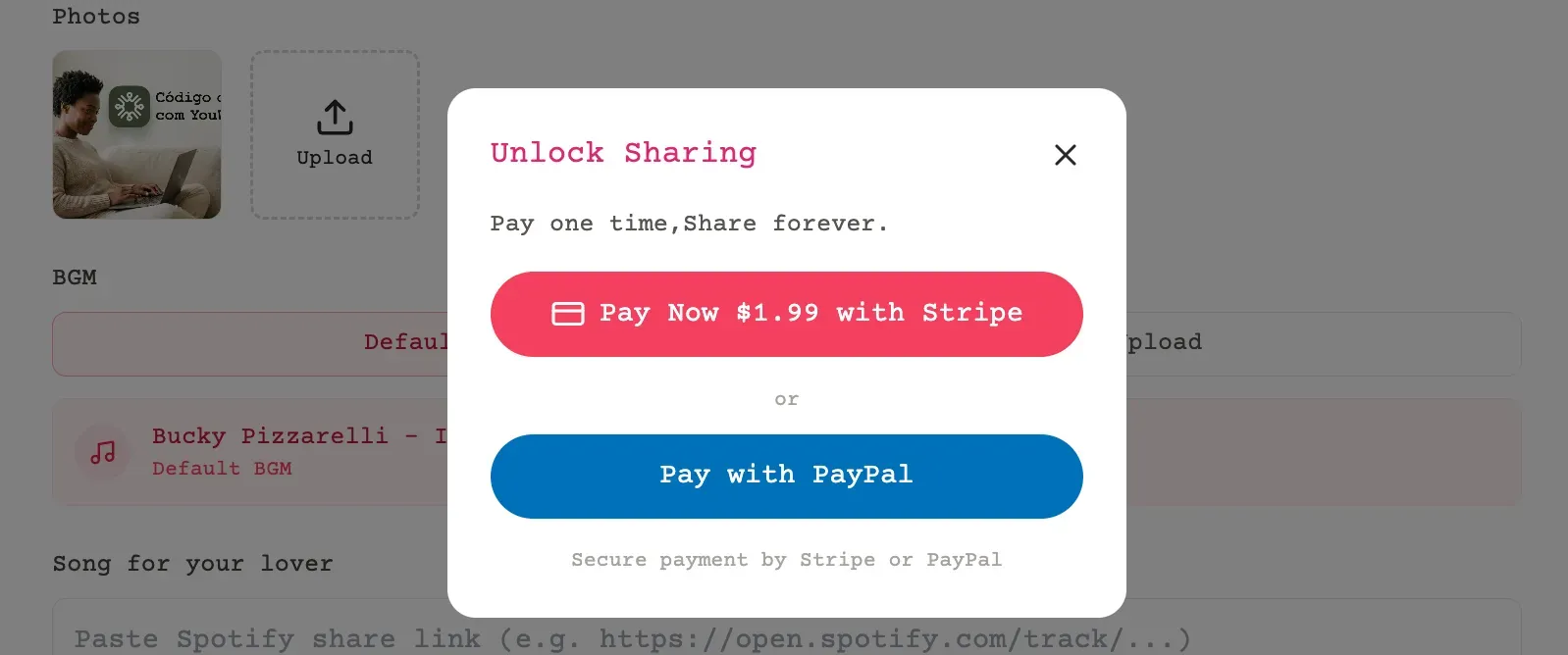
The answer was a resounding yes. I built mayz.love, a platform where users can select, customize, and send interactive Valentine's Day e-cards. To complete the business loop, I added a $1.99 paywall for users to generate the final shareable link for their partners. By driving traffic through TikTok, the results blew past my expectations.
Key Takeaways
- Built and launched a monetized Valentine's Day e-card app in days using YouWare
- Grew to 100,000+ registered users and nearly 4,000 paid orders before Valentine's Day
- Used YouBase for user auth and order tracking, integrated Stripe and PayPal for payments
- Organic TikTok content was the sole growth engine — zero ad spend
- The entire technical stack was vibe coded through YouWare's AI Agent
The Results: A Week of Explosive Growth
I launched with a simple MVP (Minimum Viable Product). The growth curve was a textbook example of finding rapid product-market fit, and the momentum only accelerated as we hit the actual holiday:
- Day 1: 4,000 Registered Users | 2 Paid Orders
- February 13 (Pre-Holiday Surge): ~40,000 Registered Users | ~1,000 Paid Orders
- February 14 (Valentine's Day): Orders peaked at 1,765 on this single day alone. From launch through the end of the campaign, we accumulated nearly 4,000 total paid orders, breaking $10,000 in revenue.
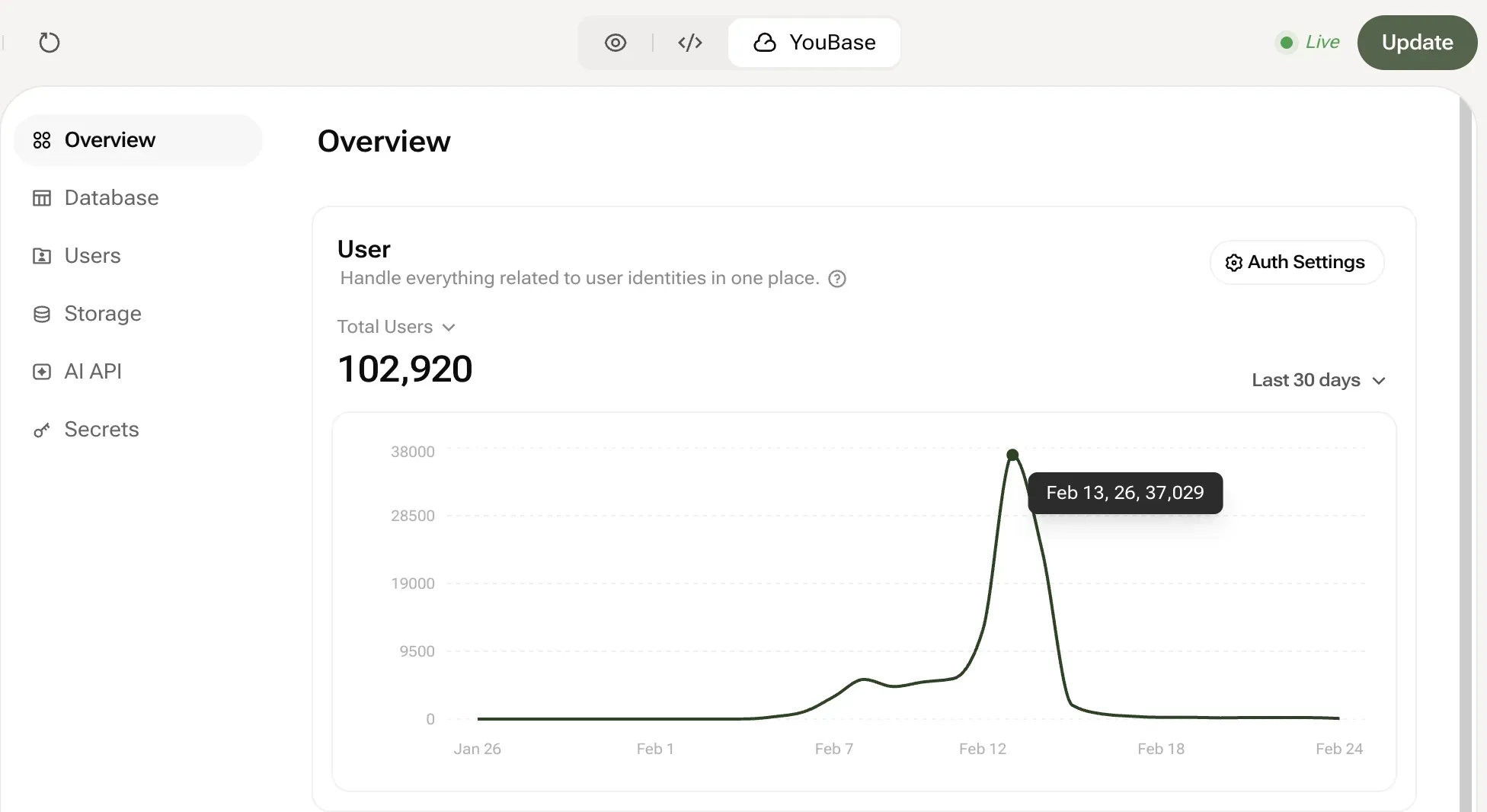
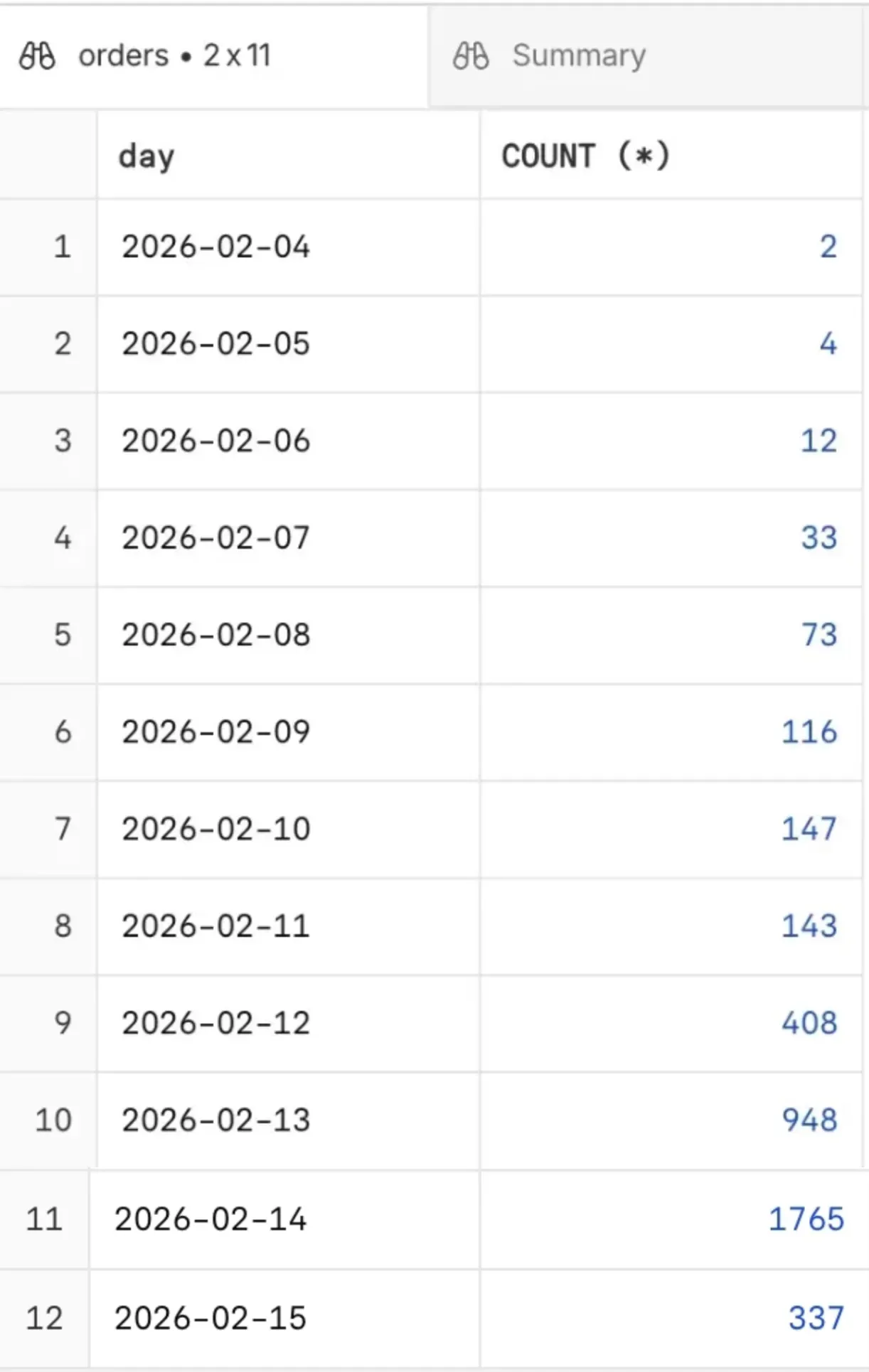
This wasn't just a traffic spike; it was a validated business model. And the most critical factor? YouWare handled the entire technical heavy lifting. Here is the step-by-step breakdown of how I built the product, the payment engine, and the traffic funnel as a solo creator.
Phase 1: Vibe Coding the Product and Powering the Backend
Before I could charge users, I needed a product and a secure backend. I didn't write a single line of HTML, CSS, or backend logic by hand. Instead, I used YouWare's natural language capabilities to "vibe code" the entire experience.
Step 1: Generating the Interactive E-Cards
I wanted variety, so I decided to offer several different card styles (cute, romantic, funny, etc.). Instead of building one massive application, I created multiple separate YouWare projects for each card style.
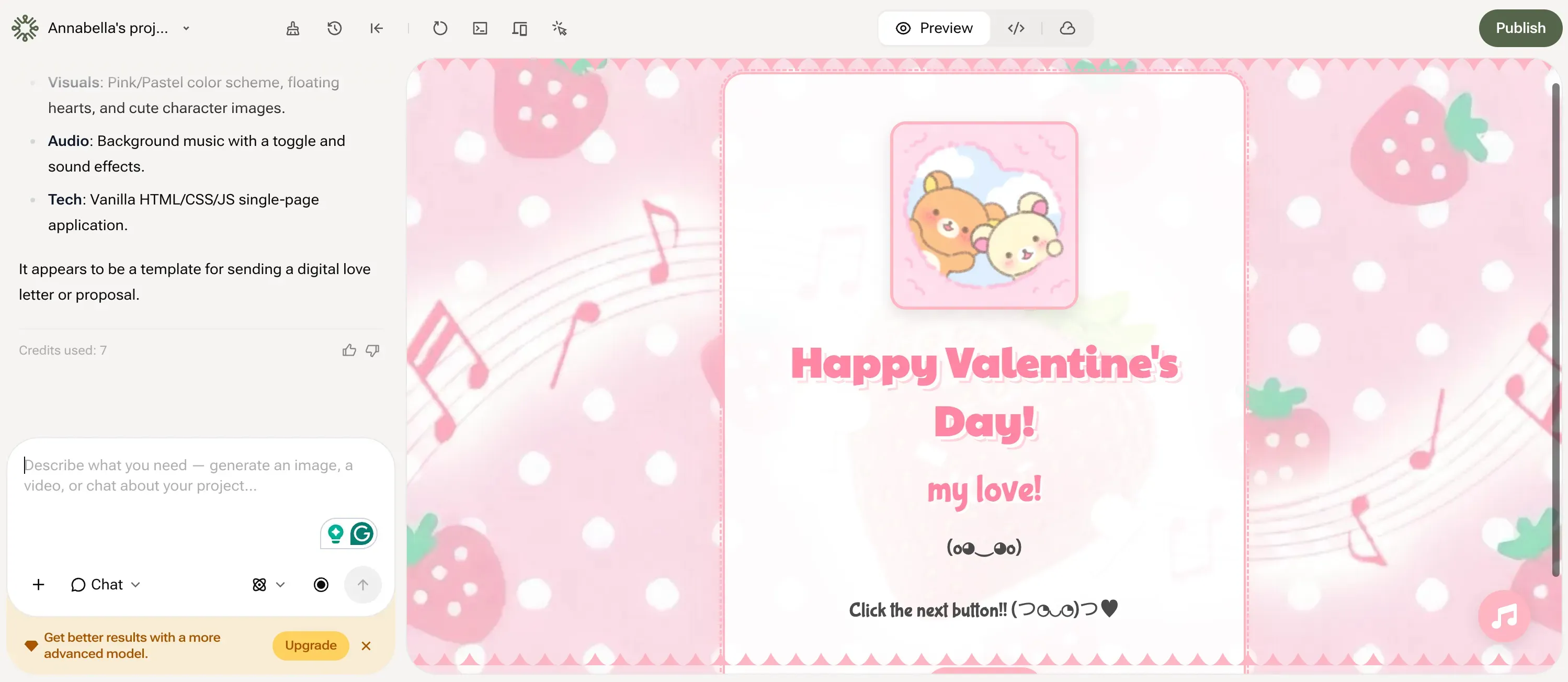
- I prompted the YouWare Agent: "Build an interactive Valentine's Day e-card. It needs a pink theme, floating heart animations, text fields where the user can input their partner's name and a custom message, and a 'Preview' button."
- Using CoView, I instantly saw the result and tweaked the animations with simple follow-up prompts. I repeated this process to generate distinct, standalone e-card projects in minutes.
Step 2: Building the "Hub" (The Storefront)
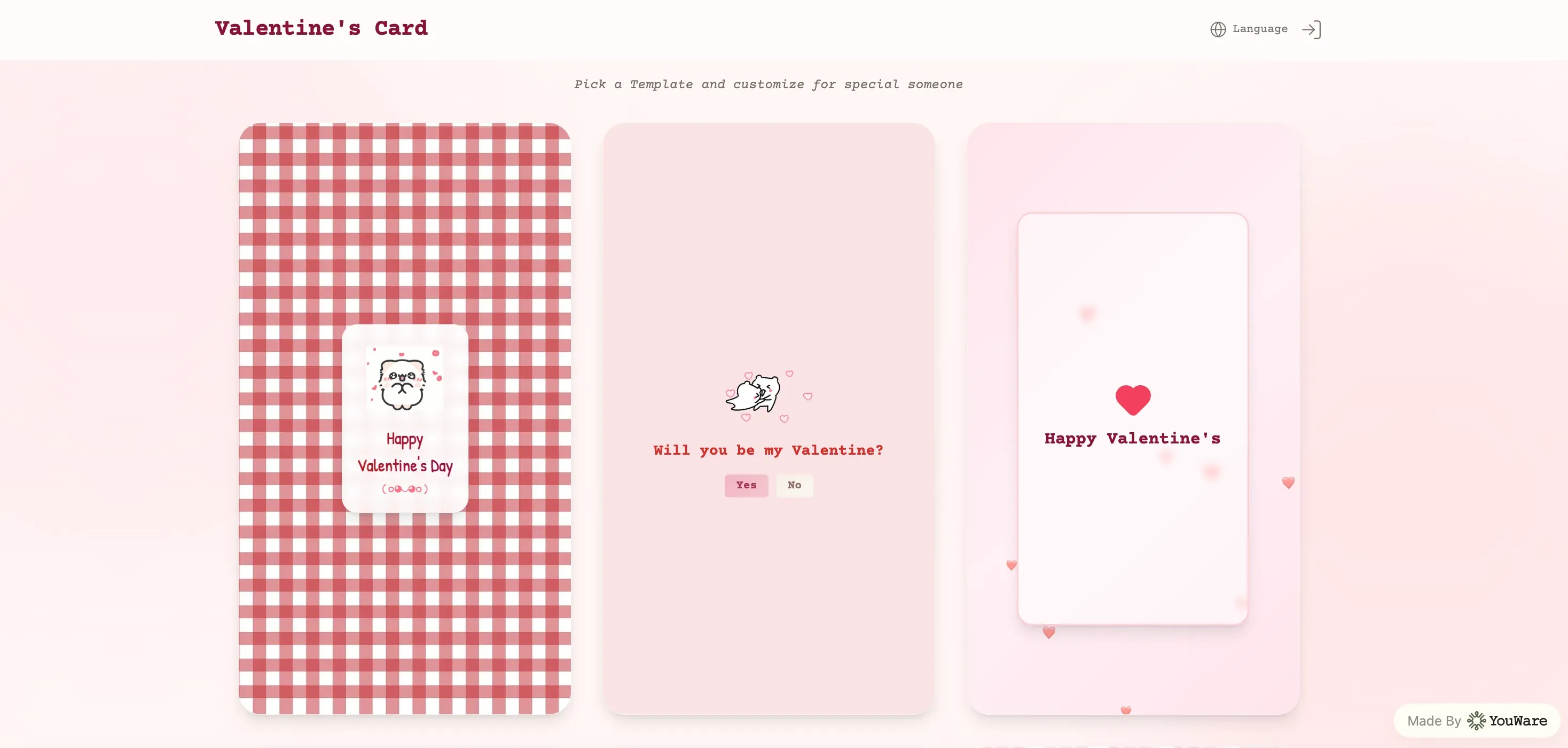
With my products ready, I opened one more YouWare project to serve as the main website. I prompted the Agent to build a clean gallery displaying thumbnail images. I then simply took the live URLs from the individual e-card projects I generated in Step 1 and instructed the Agent to link the thumbnails to those respective URLs.
Step 3: Connecting the Custom Domain (mayz.love)
To make this a real business, I needed my own brand identity. YouWare natively supports domain binding, so I simply connected my purchased domain, mayz.love, to this main hub project.
Step 4: Powering the Backend (Users, Orders & Payments)
A pretty storefront isn't enough; I needed to process accounts and money. Instead of setting up complex external databases, I utilized YouBase — YouWare's built-in database system. First, I instructed the AI to build an authentication system, allowing me to seamlessly collect and manage user registrations directly within YouBase.
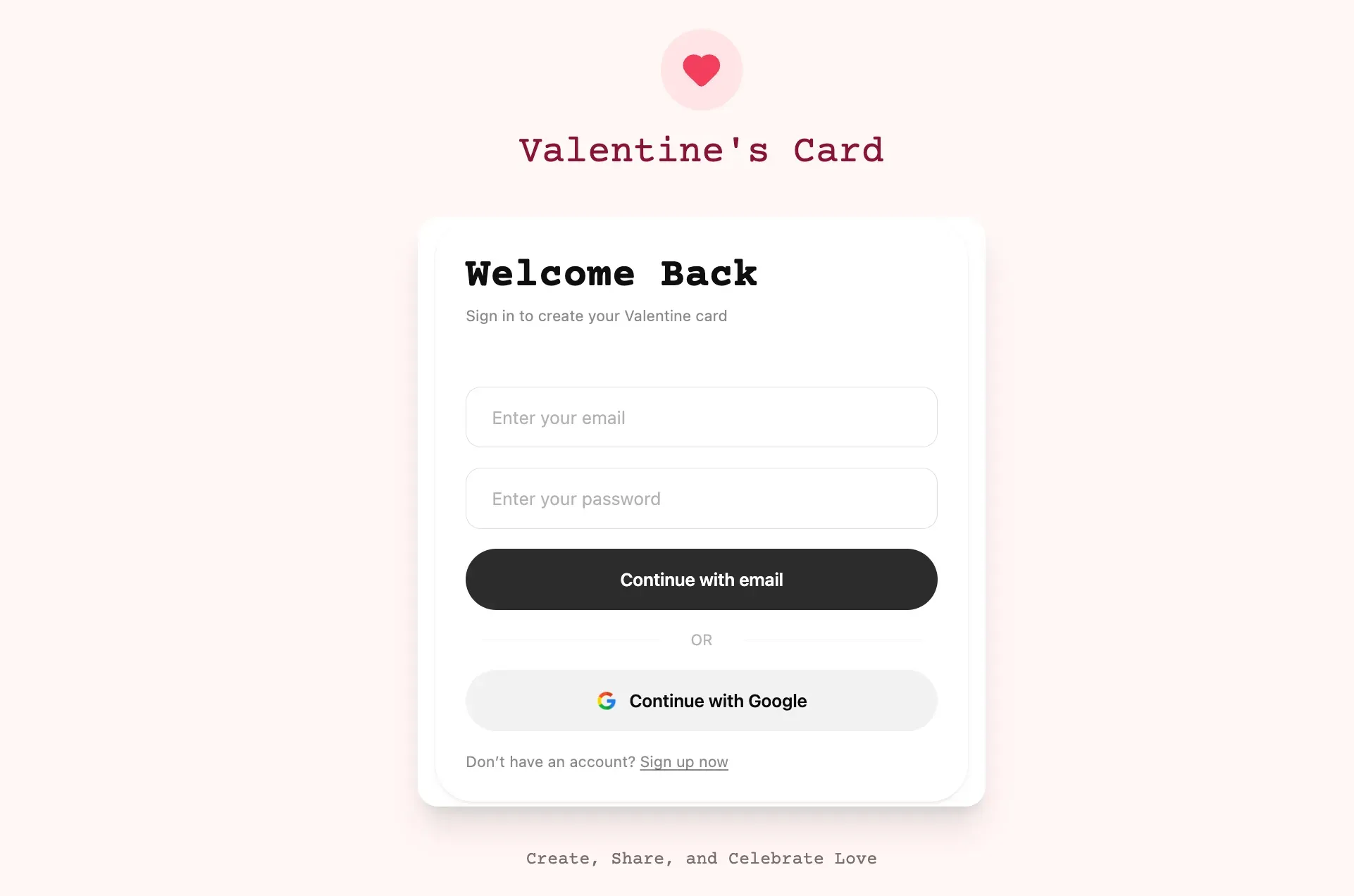
Next, I used YouBase to set up a secure architecture to collect all incoming order information. Finally, I tapped into YouWare's native payment integration capabilities to connect Stripe and PayPal, forming a complete commercial closed loop.
Phase 2: Integrating Monetization (The Checkout Loop)
For any side hustle, the ultimate milestone is the first dollar earned. I needed a frictionless experience, so I integrated both Stripe and PayPal directly through YouWare's AI Agent.
Setting Up Stripe (For Credit Card Payments)
To get started, you need three keys from your Stripe Dashboard: STRIPE_SECRET_KEY, STRIPE_WEBHOOK_SECRET, and a Price_ID.
How I built it in YouWare:
- Prompt the Agent: I told the YouWare Agent: "I want to integrate Stripe."
- Secure the Keys: I added my Secret Key and Webhook Secret into YouBase Secrets. I told the Agent once this was done, and instructed it to write the payment logic. (Crucial Tip: Always remind the Agent to double-check that secret keys are NEVER exposed to the frontend.)
- Configure the Webhook: I asked the Agent: "What is the Stripe webhook endpoint URL for this project?" I copied the URL it provided and pasted it into my Stripe dashboard to generate the Webhook Secret.
- Inject the Price: I gave the Agent my
Price_IDso it could trigger the correct checkout session.
Pro-Tip: Staging vs. Production Environments — When you preview inside YouWare, you are in the Staging environment. When you publish to your custom domain, you are in the Production environment. If you want to test live payments inside the YouWare editor, explicitly tell the Agent: "Use the Live Stripe keys for both the Staging and Production environments."
Setting Up PayPal
PayPal is slightly more straightforward. You only need a PAYPAL_CLIENT_ID and a PAYPAL_CLIENT_SECRET.
- I created an App in my PayPal Developer Dashboard to generate these two keys.
- I stored both keys securely in YouBase Secrets.
- I instructed the YouWare Agent to dynamically set the price directly in the logic.
Phase 3: The Brains of the Operation (Order Tracking)
Taking payments is great, but managing the order status is what makes a business functional. Using YouBase, setting this up took one single prompt:
"Create an orders table in the YouBase database to track purchases. Include the following fields: order_id (Primary Key), stripe_session_id, paypal_order_id, created_at, status ('paid', 'pending', or 'expired'), product_id, user_id, amount, and provider ('Stripe' or 'PayPal')."
Within seconds, YouBase structured the database, and the Agent wired the webhooks to automatically update the status to paid when a transaction cleared.
Phase 4: The Growth Engine (Hacking TikTok Traffic)
Building a great product is only 50% of the battle; the other half is distribution. Because YouWare built the app so quickly, I had the time and energy to focus entirely on my go-to-market strategy: organic social growth.
I created a dedicated TikTok account specifically for this e-card project. The content strategy was highly visual — I posted short, engaging videos showcasing the interactive elements of the cards to catch people's attention right before the holiday.
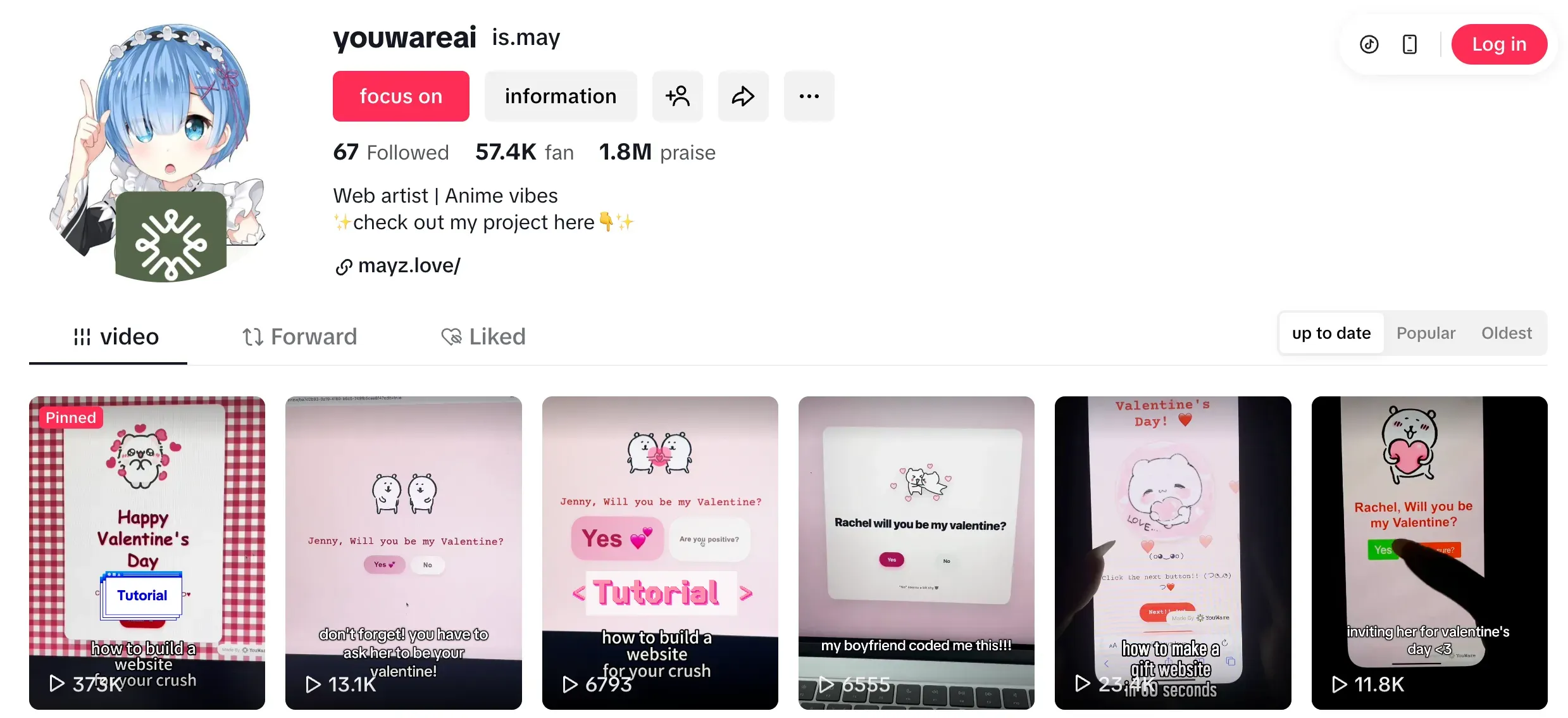
To convert those views into paying users, I built a seamless funnel:
- Link in Bio: I placed my YouWare-hosted custom domain (mayz.love) prominently in the TikTok account bio.
- Pinned Comments: Knowing that some users miss the bio link, I actively pinned a call-to-action in the comment section of every video I posted, directing traffic straight to the website.
This zero-cost organic content engine was the primary driver behind my massive 40,000+ user surge.
The Takeaway: Start Your Own Side Hustle Today
The mayz.love project is a testament to the new era of solo entrepreneurship. I went from an idea to a fully functioning, monetized, and custom-branded web application handling thousands of concurrent users and transactions — all within days.
YouWare didn't just generate the visual interface; it managed the database, secured the API keys, hosted the platform, and allowed me to focus 100% of my human effort on what actually drove the revenue: marketing and TikTok content creation.
YouWare handled the entire technical heavy lifting — from the frontend UI to the backend database and payment processing. I focused 100% on marketing, and the results speak for themselves: 100,000+ Users and nearly 4,000 paid orders in a single week.
Here is the best part: You don't have to start from scratch.
As an official YouWare Creator, I have packaged my entire Valentine's Day e-card storefront — including the gallery UI, the database structure, and the payment logic — into an Official YouWare Template.
You can clone my exact setup right now. Just swap in your own Stripe/PayPal keys, customize the branding, and you have a fully functional digital product store ready to monetize your own ideas.
The technical barrier no longer exists. Grab my template, fire up YouWare, and start building your next success story today.
Ready to build your next side hustle? Start vibe coding with YouWare today.
Get Started FreeFAQ
How long did it take to build the entire mayz.love product?
The core product — including multiple e-card styles, the storefront hub, user authentication, and payment integration — was built in just a few days using YouWare's AI Agent. The majority of my time was spent on TikTok content creation, not coding.
Do I need coding experience to replicate this?
No. The entire project was vibe coded using natural language prompts to YouWare's AI Agent. You describe what you want, and the Agent builds it. I didn't write any HTML, CSS, or backend logic by hand.
How does the payment integration work with YouWare?
YouWare supports native payment integration through YouBase Secrets. You store your Stripe or PayPal API keys securely in YouBase, then instruct the AI Agent to build the checkout flow. The Agent handles the webhook configuration, checkout session creation, and order status management automatically.
Can I use Mayz's template for a different product?
Absolutely. The template includes the gallery storefront, authentication system, order tracking database, and payment integration. You can customize the UI, swap in your own products, and adjust the pricing — the entire business infrastructure is ready to go.

![How to Build an Ecommerce Website from Scratch [2026 Guide]](https://forge-asset.youware.com/how_to_build_ecommerce_website_50086d68d6.webp)
![How to Build a Resume Website in Minutes with AI [2026 Guide]](https://forge-asset.youware.com/1_e182e75720.png)

