10 Best Vibe Coding Tools for Building Websites & Apps in 2026

The coding landscape has fundamentally shifted. In 2026, vibe coding tools have transformed how developers, creators, and entrepreneurs build digital products. Instead of wrestling with syntax and frameworks, you describe what you want in plain language, and AI brings your vision to life. Whether you're building a business app, a personal website, or the next viral game, these tools democratize software development like never before.
What is Vibe Coding?
Vibe coding represents a paradigm shift in software development. Rather than writing code line-by-line, you communicate your intent through natural language, sketches, or high-level descriptions. AI-powered tools interpret your "vibe" and generate functional code, handle architecture decisions, and even debug issues.
This approach eliminates traditional barriers to entry. You don't need years of programming experience or deep knowledge of specific frameworks. The AI acts as your coding partner, translating ideas into production-ready applications. It's particularly powerful for rapid prototyping, MVPs, and projects where speed matters more than custom optimization.
5 Best Online Vibe Coding Tools for Windows/Mac
Desktop vibe coding platforms offer the most comprehensive features, larger screens for complex projects, and powerful integrations. Here are the top tools dominating the space in 2026.
1. YouWare
YouWare leads the vibe coding revolution with its sophisticated AI that understands complex application requirements. Unlike tools that generate basic templates, YouWare builds production-ready apps with backend logic, database integration, and modern UI frameworks.
The platform shines in its versatility. Describe a SaaS dashboard, and it generates the full stack—authentication, database schema, and responsive frontend. Request a game, and it handles physics, scoring, and player interactions. This breadth makes it the go-to choice for serious builders.
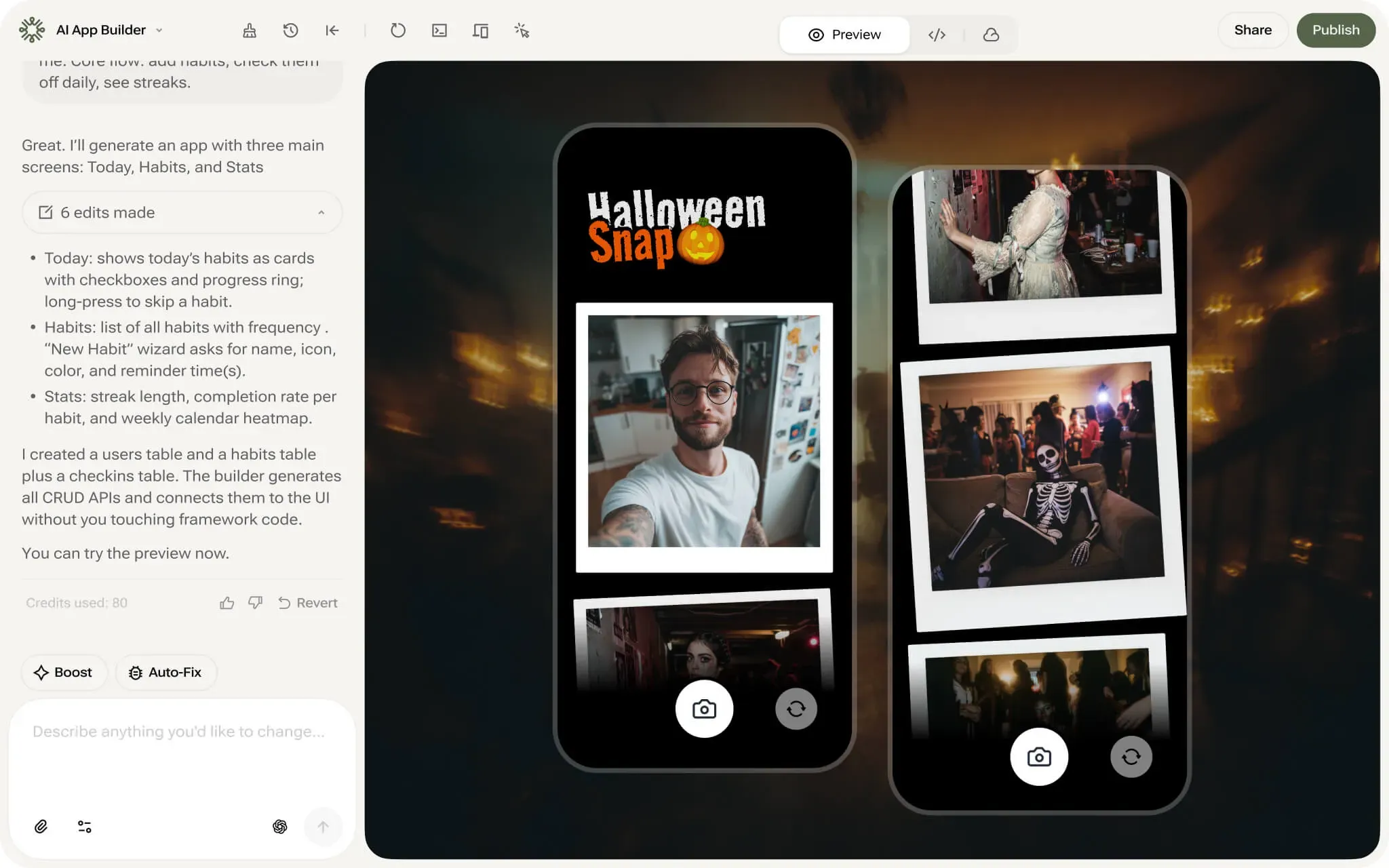
Key Features:
- AI code generation from natural language - Describe features conversationally and watch them materialize
- Full-stack development support - Frontend, backend, database, and deployment in one platform
- One-click deployment - Ship your app to production without DevOps headaches
- Visual editing with code access - Toggle between visual builder and code editor
- Built-in database (YouBase ) - Integrated backend services without external setup
Pros:
- Handles complex applications that other tools struggle with
- Generous free tier with no credit card required
- Excellent documentation and active community
- Supports modern frameworks (React, Next.js, TailwindCSS)
- Regular updates with new AI capabilities
Cons:
- Some advanced customizations require code knowledge
- Premium features require paid plan for commercial projects
2. Base44
Instead of assisting developers through code-level conversations, Base44 turns natural language descriptions into fully functional applications, including frontend, backend, database, and deployment. Its strength lies in rapid end-to-end app generation, especially for MVPs and internal tools, rather than deep developer workflows.
Key Features:
- Natural-language app generation — Describe what you want to build, no code required
- End-to-end app creation — Automatically generates frontend, backend, database, and auth
- Built-in hosting and deployment — Apps go live without infrastructure setup
- Preconfigured integrations — Connect common services and data sources out of the box
- Web-based builder — Focused on speed and simplicity rather than code editing
Pros:
- Extremely fast from idea to a working, live app
- Accessible to non-technical users and small teams
- Eliminates the need to manage servers, databases, or deployments
- Well-suited for MVPs, internal tools, and simple SaaS products
Cons:
- Limited control over underlying architecture and implementation details
- Complex business logic and custom workflows can be constrained
- Less suitable for code-heavy, iterative developer workflows
- Not designed for SDKs, platforms, or deeply customized systems
3. Lovable
Lovable prioritizes speed above everything. Its AI focuses on generating functional web applications in minutes, not hours. The platform targets entrepreneurs and product managers who need to validate ideas quickly without worrying about technical debt.
The standout feature? Template intelligence. Lovable recognizes common app patterns (e-commerce stores, booking systems, portfolios) and applies best practices automatically. This means faster generation with fewer revisions needed.
Key Features:
- Responsive by default - All outputs work perfectly on mobile devices
- No-code editing interface - Make changes without touching code
- Instant preview - See changes live as you describe them
Pros:
- Unmatched speed for simple to medium complexity apps
- Beautiful, modern design aesthetic out of the box
- Excellent for landing pages and marketing sites
Cons:
- Custom complex logic may require manual editing
- Less flexibility for highly custom designs
- Pricing for larger projects can grow
4. Bolt
Bolt is a developer-first AI coding environment that combines natural language input with direct access to real code. Instead of abstracting development away, it helps developers generate, modify, and run code while staying fully in control of their projects. This makes Bolt well-suited for developers and small teams looking to speed up existing workflows without giving up hands-on coding.
Key Features:
- AI-assisted code generation and editing — Use natural language to create, modify, and refactor code
- Project-aware context — Understands your existing files and project structure
- Instant runtime environment — Run and preview applications directly in the browser
- GitHub integration — Import repositories and sync changes
Pros:
- High-quality, readable code suitable for real projects
- Excellent for rapid prototyping and iterative development
- Strong developer experience with fast feedback loops
Cons:
- Requires development knowledge to use effectively
- Less suitable for non-technical users or creators
- Deployment and production workflows are not the core focus
- Overkill for simple demos or content-driven projects
5. v0
v0 comes from Vercel, the company behind Next.js, and it shows. The tool specializes in generating Next.js applications with Vercel's deployment pipeline baked in. What sets v0 apart is its component-level generation. Rather than only creating full applications, it excels at generating individual UI components, layouts, or page sections. This makes it valuable for both new projects and enhancing existing applications.
Key Features:
- Component library generation - Creates reusable UI component sets
- Vercel deployment integration - Push to production with one click
- TypeScript support - Type-safe code generation
- Shadcn UI integration - Beautiful, accessible components by default
- Iterative refinement - Describe changes and v0 updates components intelligently
Pros:
- Generates production-quality, accessible components
- Seamless Vercel ecosystem integration
- Free tier is generous
Cons:
- Limited to Next.js stack
- Backend capabilities are minimal
- Best suited for frontend development only
5 Best Vibe Coding Tools for Android/iOS Devices
Mobile vibe coding tools bring the power of AI-assisted development to your smartphone or tablet. While they don't replace desktop platforms for complex projects, they're perfect for coding on the go, learning, or quick prototypes.
1. YouWare Mobile
YouWare's mobile app brings the full platform experience to iOS and Android devices. Unlike competitors that offer watered-down mobile versions, YouWare Mobile lets you describe, build, and deploy complete applications from your phone.
The mobile interface adapts intelligently to smaller screens. Voice input makes describing features natural when typing is cumbersome. Real-time preview works smoothly even on mid-range devices. For builders who think of ideas throughout the day, having production-ready tools in your pocket changes everything.


Key Features:
- Voice-to-code generation - Speak your ideas and watch them become apps
- Mobile preview - Test apps directly on your device
- Cross-device sync - Start on mobile, continue on desktop seamlessly
- Collaboration on the go - Review and approve changes from anywhere
Pros:
- Feature parity with desktop version
- Voice input is remarkably accurate
- Perfect for capturing ideas immediately
Cons:
- Complex code editing is easier on desktop
- Small screens limit visual design work
2. Anything
Anything takes a minimalist approach to mobile vibe coding. Rather than trying to replicate a desktop development environment, it focuses on quick iterations, code snippets, and learning. The app shines for developers who want to solve specific problems or experiment with ideas during commutes.
The standout feature is its "challenge mode," where Anything presents coding puzzles and uses AI to guide you toward solutions. This gamification makes learning addictive while building real coding skills.
Key Features:
- Snippet generation - Create and test small code blocks instantly
- Challenge mode - Gamified coding exercises with AI hints
- Community sharing - Share snippets and see others' solutions
Pros:
- Free with no limitations on basic features
- Excellent learning tool for beginners
- Clean, distraction-free interface
Cons:
- Not suitable for full application development
- No deployment or hosting capabilities
- Limited to code snippets and exercises
3. Claude
Claude by Anthropic isn't specifically a coding tool, but its mobile app has become popular among developers for vibe coding support. The conversational AI excels at explaining concepts, debugging code, and generating solutions to specific programming challenges.
Using Claude for coding on mobile feels like pair programming with an expert colleague. Describe your problem, paste error messages, or ask for implementation suggestions. The responses are thoughtful, well-explained, and often include multiple approaches.
Key Features:
- Conversational coding help - Chat naturally about programming challenges
- Plain language explanations - Breaks down technical concepts clearly
- Cross-language expertise - Helps with virtually any programming language
Pros:
- Excellent at explaining reasoning and teaching
- Free tier is generous
- Works for any programming language or framework
- Privacy-focused with no code storage
Cons:
- Doesn't generate complete applications
- No built-in code editor or preview
- Can't execute or test code directly
4. Replit Mobile
Replit's mobile app transforms your phone into a complete development environment. While not purely "vibe coding," its AI features (Ghostwriter) add intelligent code generation to a full-featured cloud IDE. This combination makes it one of the most powerful mobile coding solutions.
The app supports collaborative coding, making it popular for pair programming sessions or code reviews on the go. The ability to run code directly on your phone—including backend servers and databases—is impressive.
Key Features:
- Full cloud IDE - Edit, run, and debug code on mobile
- AI code completion (Ghostwriter) - Intelligent suggestions as you type
- Multiplayer coding - Code with others in real-time
- Hosting included - Deploy web apps directly from mobile
- Mobile-optimized editor - Syntax highlighting and keyboard shortcuts
Pros:
- Complete development environment, not just code generation
- Actually run and test your applications on mobile
- Strong community with shareable projects
- Free tier is functional for learning and small projects
Cons:
- AI features require paid "Ghostwriter" subscription
- Editor can feel cramped on small phone screens
- Performance depends on internet connection quality
5. SteerCode
SteerCode brings the pair programming experience to mobile with a focus on learning and improvement. The AI doesn't just generate code—it asks questions, suggests better approaches, and helps you understand why certain solutions work better than others.
This Socratic method makes SteerCode particularly valuable for junior developers or anyone learning new languages and frameworks. The mobile app works best for reviewing code, planning architecture, or working through coding problems conceptually before implementing on desktop.
Key Features:
- Interactive problem-solving - AI asks clarifying questions before generating code
- Code review mode - Get feedback on your existing code
- Learning pathways - Structured courses with AI guidance
Pros:
- Educational approach builds real coding skills
- Doesn't just give answers—teaches thinking
- Great for planning projects before implementing
- Works well on tablets with split-screen mode
Cons:
- Slower than tools that just generate code immediately
- Limited to conceptual work—no built-in code execution
- Subscription required for advanced AI features
- Smaller user community than alternatives
FAQs on Vibe Coding Tools
What is a free vibe coding tool?
A free vibe coding tool lets you build applications through natural language without upfront costs. YouWare offers a generous free tier with AI code generation, real-time preview, and deployment capabilities.
Is there a free AI tool for vibe coding?
Yes. YouWare provides free AI-powered app building where you describe what you want and the AI generates working code. The free tier includes full-stack development and hosting.
What is the best vibe coding website builder?
YouWare stands out as the best vibe coding website builder. It turns ideas into working websites in minutes with AI code generation, full-stack support, and one-click deployment.
What is the best app for vibe coding games?
YouWare excels at game development. Its AI understands game mechanics, physics, and interactions, letting you create playable games by describing your concept in natural language.
What are best affordable vibe coding tools for beginners?
YouWare is ideal for beginners with its free tier and intuitive natural language interface. You can build and deploy complete applications without technical knowledge or complex setup.
Conclusion
By 2026, vibe coding tools have become production-ready, making AI-assisted coding essential. For most builders, YouWare offers the best balance of power, ease of use, and value—scaling from simple pages to full SaaS apps with a generous free tier. Ultimately, the best tool is the one you’ll actually use, and the barrier to building software has never been lower.
Ready to build your next project with AI?
Start Building Free