The Complete Beginner's Guide to Claude Opus 4.6: From Zero to Your First AI-Powered App

TL;DR
Claude Opus 4.6, released on February 5, 2026, is Anthropic's most advanced AI model and the world's best coding assistant—enabling complete beginners to build functional applications without traditional programming skills. According to Anthropic's official announcement, the model leads on Terminal-Bench 2.0 for agentic coding and features a groundbreaking 1M token context window. Combined with no-code platforms like YouWare, anyone can go from zero experience to launching their first AI-powered app in hours, not months. The barrier to entry for app development has never been lower.
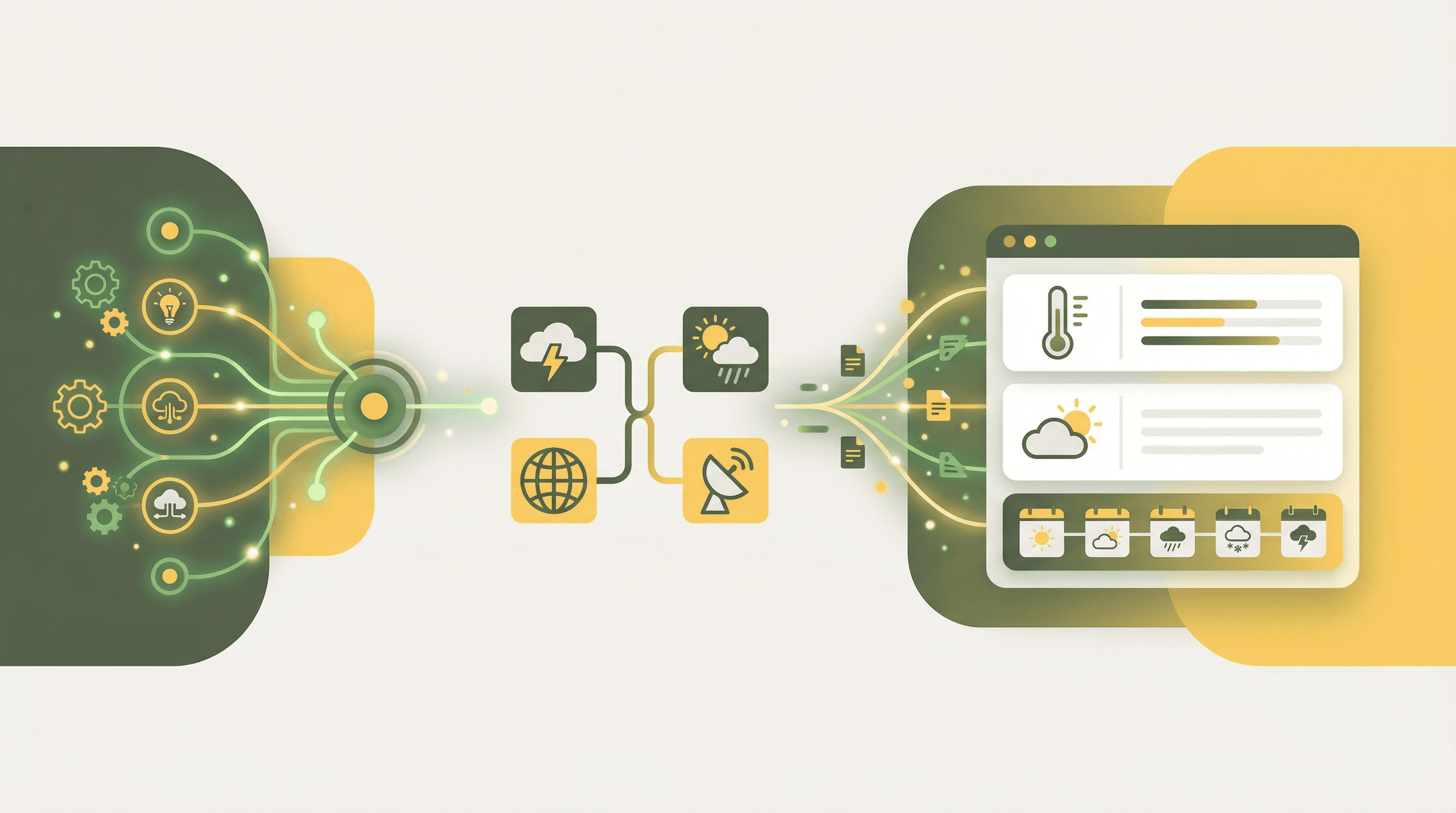
 Claude Opus 4.6 enables complete beginners to build AI-powered applications
Introduction: The Dawn of AI-Powered Creation for Everyone
Something remarkable happened on February 5, 2026. Anthropic released Claude Opus 4.6, an AI model so capable at coding that companies are now building "one-shot fully functional" applications—complete software created from a single conversation. For years, building apps required months of learning programming languages, understanding databases, and wrestling with deployment configurations. Those days are over.
According to the Stack Overflow Developer Survey 2024, 76% of developers are now using or planning to use AI tools in their development process, up from 70% the previous year. But here's what's truly revolutionary: you don't need to be a developer to join them. With YouWare and Claude Opus 4.6 working together, complete beginners—small business owners, creative professionals, and anyone with an idea—can build real, functional applications using nothing but natural language.
This guide will walk you through everything you need to know to go from complete beginner to launching your first AI-powered application.
What is Claude Opus 4.6? Understanding AI's Most Capable Model
 Claude AI by Anthropic - the world's most capable coding model — Source: TechCrunch
Claude Opus 4.6 represents a watershed moment in artificial intelligence. Developed by Anthropic, this model isn't just an incremental improvement—it's a fundamental leap forward in what AI can accomplish, particularly for coding and application development.
According to Anthropic's official documentation, Claude Opus 4.6 features a 1M token context window in beta, meaning it can process and remember massive amounts of information—equivalent to reading several full-length novels at once while maintaining perfect recall. For beginners, this means the AI can understand your entire project, remember previous conversations, and maintain consistency across complex applications.
The model outperforms competitors significantly. According to Anthropic's launch announcement, Claude Opus 4.6 leads GPT-5.2 by 144 Elo points on the GDPval-AA benchmark, which measures economically valuable knowledge work. Cursor, a popular AI-powered development tool, reports that Claude Opus 4.6 is "the new frontier on long-running tasks" and "highly effective at reviewing code."
What makes this particularly exciting for beginners is that you don't need to understand how the AI works to benefit from it. Think of Claude Opus 4.6 as an incredibly skilled assistant who never gets tired, never judges your questions, and can translate your ideas into working code. You describe what you want in plain English, and the AI figures out the technical details.
Key Capabilities for Beginners
Claude Opus 4.6 excels in several areas that matter most to newcomers. First, it understands context brilliantly—you can describe your app idea conversationally, and the AI grasps not just what you're saying but what you're trying to achieve. Second, it writes clean, functional code that actually works, reducing the frustrating cycle of errors that typically plagues beginners. Third, it explains what it's doing in terms anyone can understand, making it an excellent teacher as well as a builder.
Why 2026 is the Perfect Time for Beginners to Start Building with AI
 AI development has become accessible to everyone in 2026 — Source: TechCrunch
The convergence of powerful AI models and intuitive no-code platforms has created an unprecedented opportunity. According to IBM Think Insights, the pace of AI algorithmic improvement is approximately 400% per year—meaning today's capabilities become dramatically more accessible and affordable each year.
The Stack Overflow Developer Survey 2024 reveals that 62% of developers are currently using AI tools, up from 44% the previous year. This 18-percentage-point jump represents the fastest adoption curve in the history of development tools. More importantly, 70% of professional developers do not perceive AI as a threat to their jobs—instead, they see it as a powerful amplifier of their capabilities.
For beginners, this rapid adoption means something profound: the gap between professional developers and newcomers is shrinking. When AI can handle the technical heavy lifting, your creativity, domain expertise, and problem-solving abilities become the differentiating factors. A restaurant owner who understands the hospitality industry can now build a reservation management app that rivals solutions created by tech companies, because Claude Opus 4.6 bridges the technical knowledge gap.
The statistics speak volumes. According to Anthropic's announcement, Rakuten reported that Claude Opus 4.6 autonomously closed 13 issues and assigned 12 issues across 6 repositories in a single day, effectively managing a ~50-person organization. NVIDIA uses Claude for all 40,000 engineers, with CEO Jensen Huang stating that "productivity has gone up incredibly," according to Cursor's testimonials.
Building Your First App with YouWare and Claude's AI Capabilities
While Claude Opus 4.6 provides the intelligence, YouWare provides the platform where that intelligence becomes accessible. YouWare empowers complete beginners to build web applications from concept to production without traditional coding—using nothing but natural language conversations.
YouWare offers AI-powered development through a conversational interface. You describe your idea in plain English, and the platform generates a complete web application. The multi-model switching feature supports Claude Sonnet 4.5 (Anthropic's highly capable model), GPT-4o, and other leading AI models, allowing you to leverage the best AI for each specific task.
The Prompt Craft Methodology
YouWare teaches a powerful framework called Prompt Craft for communicating effectively with AI. This methodology breaks down into three elements: feeling (the vibe and emotional tone of your project), story (the narrative flow and user journey), and sculpture (iterative refinement through conversation). Instead of trying to specify technical requirements, you describe experiences. Instead of "create a button with onclick handler," you say "I want visitors to feel excited when they click to learn more."
Step-by-Step: From Idea to Working App
Building with YouWare follows a natural flow. You start by clicking "Create" and describing your idea in natural language—something like "I want a personal portfolio website that showcases my photography with a minimalist, elegant feel." The AI generates an initial website structure and design within seconds. You review what's created in the live preview, then refine through conversation: "Make the gallery grid tighter" or "Add a contact form that feels approachable."
YouWare's Visual Editing mode lets you make precise adjustments without any technical knowledge. Click directly on any element in your preview to modify text, swap images, adjust colors, or fine-tune spacing. This hybrid approach—AI generation plus visual refinement—gives you both speed and precision.
Plan Mode for Complex Projects
For larger projects, YouWare's Plan Mode helps you organize complex applications into structured steps before execution. This mirrors professional development practices while remaining accessible to beginners. You can break down an ambitious idea like "build a booking platform for my consulting business" into manageable phases that the AI executes one by one.
Understanding Prompts: How to Communicate with Claude Opus 4.6
 Learning to communicate with AI models is the new essential skill — Source: TechCrunch / Getty Images
The quality of what you build depends heavily on how you communicate with the AI. According to the Stack Overflow Developer Survey 2024, 82% of developers learn to code using online resources, and AI-assisted learning platforms are becoming increasingly central to this process. Learning to prompt effectively is the new essential skill.
Effective prompts share several characteristics. They're specific about outcomes without being prescriptive about implementation. Instead of saying "use flexbox for the layout," describe what you want to achieve: "I need the cards to arrange themselves nicely whether someone's on a phone or a desktop." The AI knows the technical implementation details; your job is to communicate the vision.
Context matters enormously. Claude Opus 4.6's massive context window means it can remember and build upon previous conversations. Take advantage of this by providing background: "I'm building an app for elderly users, so accessibility and large text are important" sets the stage for every subsequent interaction.
Iteration beats perfection. Don't try to get everything right in your first prompt. Start with a basic version, then refine through conversation. Say "That's good, but make the header more prominent" or "I love the colors, but the buttons feel too small." This conversational approach feels natural and produces better results than attempting to specify everything upfront.
Setting Up Your First AI-Powered Project: A Step-by-Step Guide
 Setting up your first AI project is easier than ever — Source: TechCrunch
Getting started requires no technical setup, no software installation, and no prior experience. YouWare runs entirely in your browser, meaning you can begin building immediately.
Your first step is creating an account at YouWare. The free tier provides everything needed to build and publish your first application, including access to AI-powered code generation, visual editing, and a shareable link for your finished project. Premium tiers unlock additional features like code download and custom domains, but beginners can accomplish impressive results on the free plan.
Once logged in, you'll see the "Create" button prominently displayed. Clicking it opens a text field where you describe your project. For your first app, start simple but meaningful—perhaps "Create a personal landing page that introduces me as a freelance graphic designer, with a portfolio section and contact form." The AI processes your request and generates a complete, functional website within seconds.
The preview appears immediately, showing you exactly what visitors will see. This isn't a mockup or wireframe—it's a real, working website. You can interact with it, click buttons, and fill out forms right in the preview pane.
From here, the refinement process begins. Use the chat interface to request changes: "Add a dark mode toggle" or "Make the portfolio images larger on mobile." Each change updates the live preview instantly. When something doesn't look quite right, switch to Visual Editing mode for direct manipulation—click any element and adjust its properties visually.
Visual Editing: Refining Your AI-Generated Application Without Code
YouWare's Visual Editing mode represents a breakthrough for beginners. Traditional development requires understanding CSS properties, responsive breakpoints, and layout systems. Visual Editing abstracts all of this away—you simply click on what you want to change and adjust it directly.
Text editing becomes intuitive: select any text element and modify font size, color, style, alignment, padding, and margins through a simple interface. Need to swap an image? Click on it, upload a new one (supporting PNG, JPG, SVG, WEBP, and GIF formats), and the replacement happens instantly. Want to remove something entirely? Select it and delete with a single click.
The Boost feature takes this further by automatically analyzing and optimizing your page structure, content, and user experience. With one click, YouWare reviews your entire application and suggests or implements improvements—better spacing, more consistent typography, improved mobile responsiveness.
This combination of AI generation and visual refinement gives beginners superpowers that previously required years of training. You get the speed of AI-generated code with the precision of manual adjustment, without needing to understand a single line of code.
Adding User Authentication and Database Features for Beginners
 Adding database and authentication features to your AI-powered app — Source: freeCodeCamp
Most useful applications need to remember information and identify users. Traditionally, setting up databases and authentication systems represents the steepest learning curve for beginners—weeks of learning about SQL, security best practices, password hashing, and session management. YouWare eliminates this complexity entirely through YouBase, the built-in backend infrastructure.
YouBase provides database capabilities through natural language. Tell the AI "I need to store customer orders with items, quantities, and delivery addresses" and the appropriate database structure appears automatically. You can view, edit, and export your data through an intuitive interface—no SQL required. The Time Travel feature lets you restore your database to any previous state, and Bookmarks let you mark important milestones for easy recovery.
Authentication—the system that lets users log in securely—traditionally requires extensive security knowledge. YouWare's Users & Authentication module handles this automatically with enterprise-grade security. You can enable email login with password management, Google OAuth integration, or temporary accounts for frictionless access. A user management dashboard shows statistics and daily trends, with options to block or unblock users, add accounts, and enable email verification.
The Secrets module securely stores API keys and sensitive credentials with enterprise-grade encryption at rest and in transit. These secrets remain server-side only, never exposed to frontend code—a security best practice that would typically require deep technical knowledge to implement correctly.
From Prototype to Published: Launching Your First AI-Powered App
 Deploying your AI agent from prototype to production — Source: freeCodeCamp
The moment arrives when your application is ready to share with the world. Traditional deployment involves configuring servers, setting up domains, managing SSL certificates, and handling countless technical details. YouWare reduces this to a single click.
Click "Publish" and YouWare generates a shareable link for your live application—instantly accessible to anyone with the URL. The share settings let you control privacy (public or password-protected), remix permissions (whether others can copy and modify your project), and badge visibility. Fullscreen mode presents your project without any platform branding for a completely professional appearance.
For professional deployments, Pro and Ultra plans enable custom domains. Instead of a YouWare-generated URL, your app lives at yourbusiness.com—indistinguishable from applications built by professional development teams.
Your application runs on YouWare's infrastructure, meaning you don't manage servers, worry about traffic spikes, or handle maintenance. The platform scales automatically from a handful of visitors to thousands without any intervention required.
Common Mistakes Beginners Make (And How to Avoid Them)
Learning any new skill involves pitfalls. Here are the most common mistakes beginners make when building with AI, and how to avoid them.
Over-specifying technical details is the most frequent error. Beginners often try to tell the AI exactly how to build something rather than what they want to achieve. Instead of "create a div with flexbox justifying content center," describe the outcome: "center this content on the page." The AI knows the technical implementation; your job is vision and direction.
Trying to get everything perfect in one prompt leads to frustration. AI development is iterative by nature. Start with a basic version, then refine through conversation. Each round of feedback improves the result. This approach feels more natural and produces better outcomes than attempting to specify everything upfront.
Ignoring the visual editing tools means missing opportunities for quick refinement. While AI handles large changes efficiently, small adjustments—nudging spacing, tweaking colors, changing font sizes—are faster through direct manipulation. Use visual editing for precision work and save AI credits for substantial changes.
Forgetting to test on mobile devices overlooks a significant portion of users. Always preview your application on different screen sizes using YouWare's responsive preview. If something doesn't look right on mobile, ask the AI to improve the responsive behavior.
Not using Time Travel and Bookmarks means losing the safety net that makes experimentation possible. Before making significant changes, create a bookmark. If the changes don't work out, you can instantly restore to the saved state. This encourages bold experimentation without fear of breaking what already works.
Next Steps: Growing Your AI Development Skills
Your first application is just the beginning. As your confidence grows, YouWare's MCP integrations open doors to increasingly sophisticated capabilities without additional complexity.
Connect Figma to convert professional designs into pixel-perfect code—perfect if you work with designers or use design templates. Link GitHub for code backup and version history. Integrate Notion to pull dynamic content, turning your Notion databases into live website content. Connect Supabase for advanced database features, YouTube for video content, and Google Maps for interactive maps.
Each integration follows the same natural language pattern you've already learned. Describe what you want to accomplish, provide the necessary credentials, and YouWare handles the technical implementation. The learning curve remains gentle even as your applications become more sophisticated.
The Credit Care feature protects your experimentation. When AI attempts don't produce the desired results, you can recover credits—1 per month on free plans, 30 on Pro, and 100 on Ultra. This removes the cost anxiety that might otherwise discourage bold experimentation.
Consider remixing public projects to learn from others' work. Find applications similar to what you want to build, remix them into your own workspace, and explore how they're constructed. This mirrors how professional developers learn—by studying existing code and understanding patterns.
FAQ
Do I need any coding experience to build apps with Claude Opus 4.6 and YouWare?
No coding experience is required. YouWare translates your natural language descriptions into working code automatically. You describe what you want in plain English, and the AI handles all technical implementation. The Visual Editing mode lets you make precise adjustments without understanding any code, and YouBase provides database and authentication features through simple prompts rather than SQL or security configurations.
How long does it take to build my first application?
Your first simple application—like a portfolio website or landing page—can be completed in under an hour. More complex applications with user authentication and database features might take a few hours as you refine through conversation. According to Replit, similar AI-powered platforms enable users to go "from idea to working application in minutes" with apps built in 45 minutes that save teams hours every week.
What can I build as a complete beginner?
Beginners successfully build portfolio websites, landing pages, contact forms, booking systems, membership platforms, simple e-commerce stores, internal business tools, and data collection applications. As you gain experience, you can tackle more complex projects like full-featured web applications with user accounts, databases, and third-party integrations—all without learning to code.
How does YouWare compare to learning traditional coding?
Traditional coding requires months to years of dedicated learning before you can build functional applications. YouWare lets you start building immediately and learn progressively through practice. According to the Stack Overflow Developer Survey 2024, 82% of developers learn using online resources—YouWare accelerates this by letting you build real projects from day one while gradually understanding what happens under the hood if you choose to explore the generated code.
What happens if I make a mistake or break my application?
YouWare's History feature maintains a complete timeline of your project with timestamps and descriptions. You can preview any previous version and restore it instantly. For database changes, Time Travel lets you rewind to any previous state, and Bookmarks let you mark important milestones for easy recovery. The Credit Care feature restores credits from failed AI attempts, so experimentation is low-risk both technically and financially.
Conclusion: Your AI-Powered Future Starts Now
The release of Claude Opus 4.6 marks a turning point in what's possible for complete beginners. With 76% of developers now using or planning to use AI tools according to Stack Overflow, the question isn't whether to embrace AI-assisted development—it's how quickly you can get started.
YouWare provides the perfect entry point, combining Claude's exceptional AI capabilities with an intuitive interface designed for non-technical users. YouBase eliminates backend complexity, Visual Editing provides precision without code, and MCP integrations connect you to professional-grade tools—all through natural language you already speak.
The applications you once imagined hiring developers to build? You can create them yourself, starting today. The skills you'll develop—communicating effectively with AI, iterating toward vision, thinking in terms of user experience—will only become more valuable as AI continues to transform every industry.
Ready to build your first AI-powered application? Get started with YouWare today.